

Azure penetration testing is a manual test of a client's Microsoft Azure and Entra ID environment, the cloud tenant that now holds their identities, their data, and half their infrastructure. For MSPs, it's a fast-growing line, because your clients moved to the cloud assuming Microsoft secured it for them, and that's only half true. Microsoft secures the platform. Everything your client configures on top of it is your client's problem, and that's exactly where the holes are.
Here's the catch most MSPs miss. Azure attacks rarely look like hacking. They look like a valid login using permissions someone handed out and forgot about. MSP Pentesting runs the test under your brand, channel-only, and hands back a report with your logo showing where the tenant leaks and how to seal it. Below is what it targets, how it runs, and how you deliver it without a cloud security hire.
What Azure penetration testing actually is
It's a hands-on assessment of everything inside your client's tenant that they own: Entra ID identities and roles, Conditional Access, storage, networking, App Services, Key Vault, and the service principals wiring it all together. The tester works it the way an attacker who phished one account would, seeing how far a single foothold reaches. Because of the shared responsibility model, the test stays on your client's side of the line. We test what they configured, not Microsoft's platform. That line matters, and a good tester respects it.
What an Azure pentest looks for
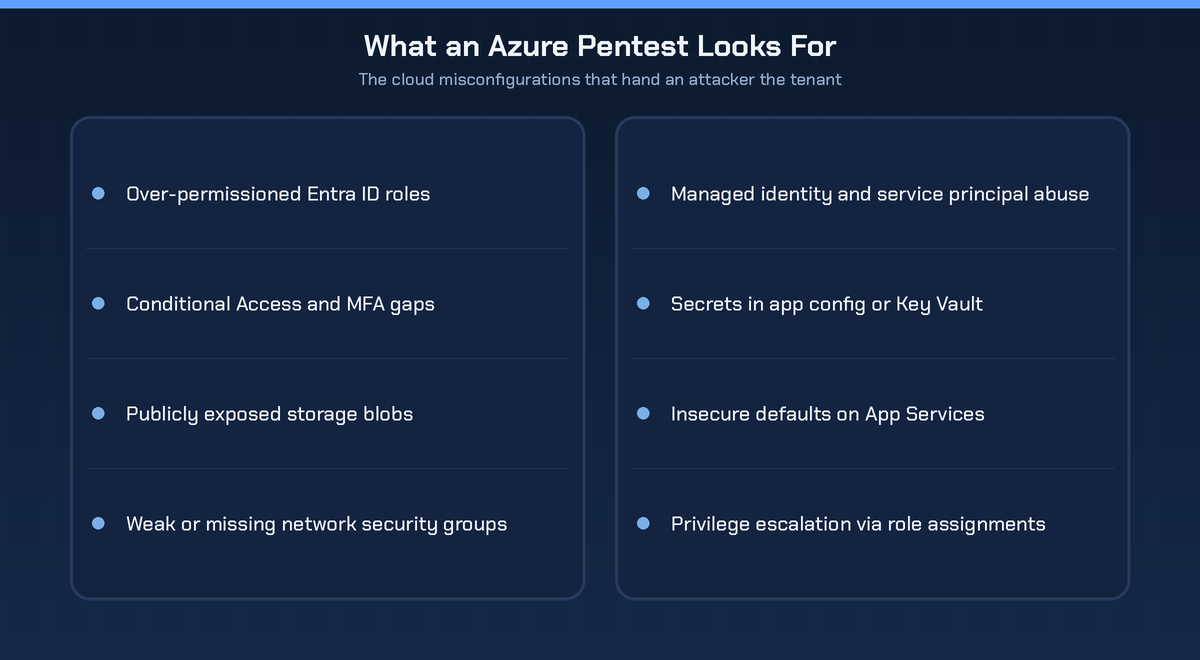
Almost none of these need an exploit. Over-permissioned Entra ID roles, where Global Admin got handed out like a guest badge. Conditional Access and MFA gaps, because a policy with a hole is a policy an attacker just walks through. Storage blobs left public, quietly indexed by search engines. Network security groups that are weak or missing. Managed identities and service principals, the non-human accounts that run with too much power and no MFA at all. Secrets sitting in plain sight in app config or a loosely permissioned Key Vault. Insecure defaults on App Services. And privilege escalation through role assignments that are technically valid and wildly over-scoped. These are permission problems, not software bugs, and that is the whole point.
How an Azure penetration test works
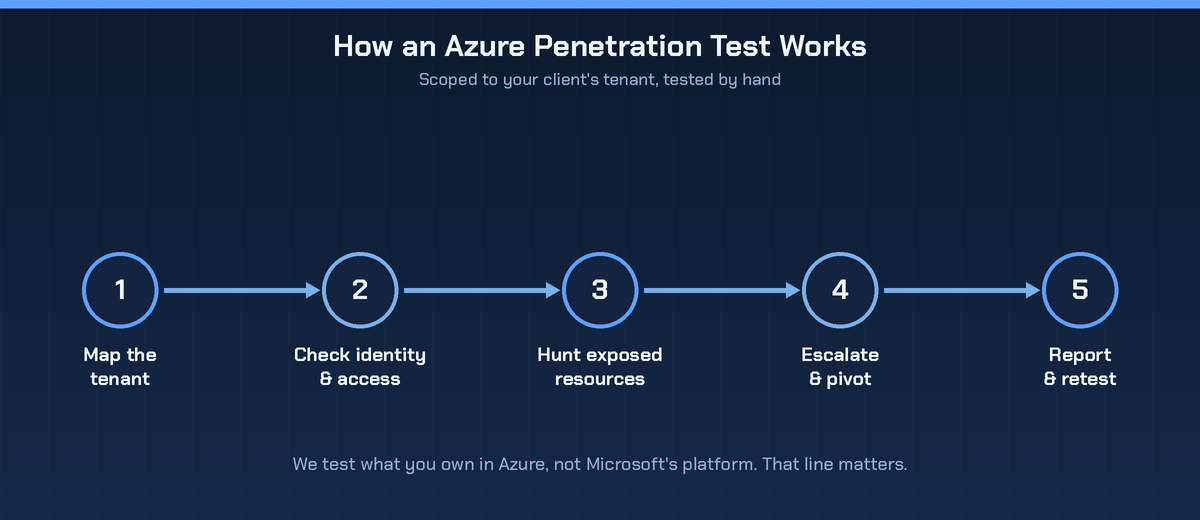
It starts by mapping the tenant, the identities, roles, subscriptions, and resources in scope. Then the tester works the identity and access layer, the part that decides who can reach what. From there they hunt exposed resources, the public blobs, open endpoints, and leaked secrets. Then they escalate and pivot, chaining over-scoped permissions toward control of the tenant. Everything gets documented, and after the client fixes it, a retest confirms the gaps are closed.
Why a scan misses the cloud
A vulnerability scanner checks a host for known CVEs. Azure risk isn't a host. It's a web of identities and permissions. The most dangerous finding is usually a role assignment that is completely valid and completely over-scoped, and a scanner has no way to judge that. A tester following the identity graph from one account to the next does, which is why cloud testing has to be manual.
When your clients need one
Any client with real workloads or identities in Azure or Microsoft 365. After a cloud migration or an M365 rollout. Before or during a SOC 2 report or a customer security review. And any client whose Azure footprint has grown faster than anyone has cleaned up the permissions, which describes most of them.
How MSPs deliver Azure pentests without a cloud hire
You don't need a cloud security engineer on payroll to offer this. Scope the engagement with your client, hand the testing to a channel-only partner, and the report comes back under your brand. Your client sees your logo and your expertise, not ours. That's what white-label pentesting is built for. If a client's footprint spans more than Azure, our guide to cloud penetration testing covers the wider picture.
What the report gives you
The report ranks every finding by blast radius, not by raw count, so the client fixes the role assignment that hands over the tenant before the storage blob nobody reads. It gives concrete Azure fixes: tighten Conditional Access, kill standing Global Admin in favor of just-in-time access with PIM, lock down storage, rotate the secrets. Then a retest proves the fixes held. Branded to you, clean, and specific enough for the client's team to act on. When a client is ready, you get a pentest quote and scope it quickly.
Frequently asked questions
Do I need Microsoft's permission to run an Azure pentest?
For testing your own resources, Microsoft does not require advance approval, but you must stay within their rules of engagement and only test what your client owns, not Microsoft's shared infrastructure. A good partner knows exactly where that line sits.
Is Azure penetration testing the same as a Microsoft 365 assessment?
They overlap through Entra ID, since identity ties them together, but they aren't identical. Azure testing covers infrastructure and resources, M365 testing leans toward productivity and collaboration security. Many clients want both.
Can a scan test my Azure environment?
Only partly. Scans catch some misconfigurations, but they miss the identity and permission abuse that drives real cloud breaches. That needs manual testing.
How often should a tenant be tested?
At least once a year, and again after a major change, a migration, a new workload, or a big shift in how access is granted.
The bottom line
The cloud didn't shrink the attack surface, it moved it into identities and permissions your client controls and Microsoft won't fix for them. Azure penetration testing finds the over-scoped roles, exposed resources, and quiet misconfigurations that hand an attacker the tenant, then gives the client a clear path to close them. Map the tenant, work the identity layer, prove the escalation, and hand the client a report with your brand on it.

.avif)
.png)
.png)
.png)

