
You're probably seeing the same pattern right now. A client says they've got MFA on, Secure Score looks decent, and they assume Microsoft 365 is “handled.” Then you get pulled into a permissions mess, a risky app integration, a compliance questionnaire, or a suspicious login review that nobody can fully explain.
That's the opening.
A Microsoft 365 security assessment isn't just a technical cleanup task. For an MSP, vCISO, GRC firm, CPA, or compliance-focused reseller, it's one of the easiest ways to create recurring security conversations, uncover billable remediation work, and keep clients from shopping elsewhere. It also helps you stop relying on bloated vendors with inflated pricing, weak methodology, and slow delivery that kills momentum with your customer.
The market has a bad habit of turning basic reviews into overpriced theater. Clients wait too long, get generic reports, and still don't know whether their controls would hold up in a real attack. A solid assessment fixes that. A better delivery model makes it profitable.
Why Your Clients Need This Security Assessment Now
Cloud convenience has created cloud complacency. Your clients keep adding apps, connectors, guest accounts, workflows, and file-sharing paths inside Microsoft 365, but very few of them understand how much risk that creates.
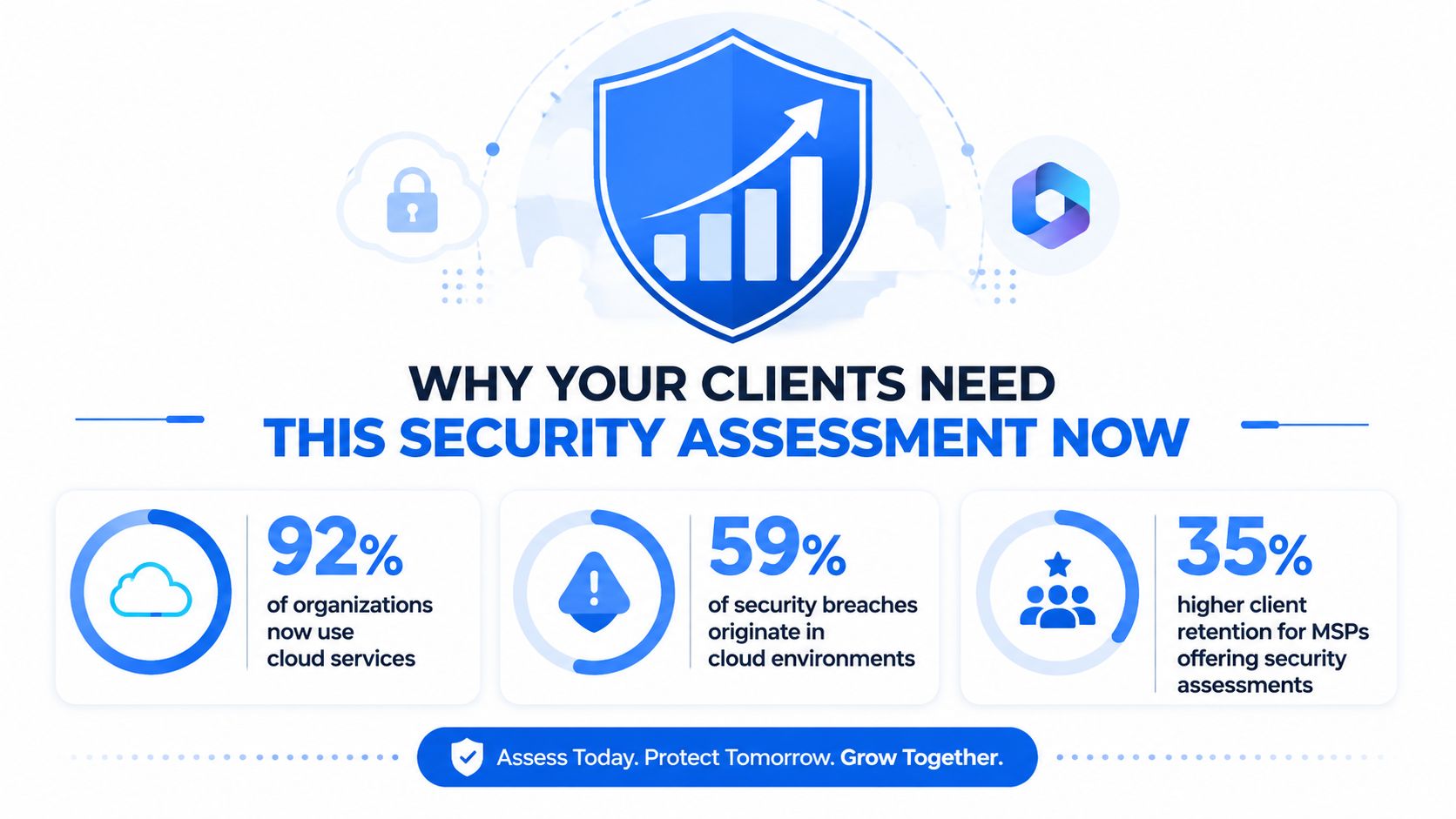
According to Obsidian's Microsoft 365 risk assessment overview, Microsoft integrations within Microsoft 365 have grown by 120% year-over-year, and 70% of organizations are exposed to potential risks from misconfigured integrations. That's the business case in one sentence. More connections. More exposure. More ways for a small mistake to turn into a client emergency.
What your client actually hears
Most clients don't care about tenant complexity until you translate it into business language. They care about unauthorized access, compliance exposure, data leakage, and whether their cyber insurance or audit story holds up when someone asks hard questions.
Use language like this:
- More integrations means more blind spots: Every connected app can create permissions and data access the client forgot existed.
- Security settings drift over time: Teams change, licenses change, vendors change, and the tenant doesn't stay clean on its own.
- A fast review beats a breach response: It's cheaper and less painful to find bad sharing, weak admin practices, and policy gaps before an incident.
Practical rule: If a client uses Microsoft 365 for email, files, Teams, and identity, they need a security assessment whether they've asked for one yet or not.
Why this matters for your MSP revenue
This service creates two wins at the same time. First, you uncover real risk. Second, you create a roadmap for follow-on work like Conditional Access cleanup, admin role redesign, external sharing restrictions, policy tuning, user hardening, and compliance evidence collection.
That's why this is more than a one-time risk assessment. It's a retention tool.
Clients don't leave the partner who finds the problem, explains it clearly, and helps fix it under a sane budget. They leave the partner who says “everything looks fine” until something breaks. If you want another practical client-facing resource to support the broader conversation, Kogifi's guide to expert website security best practices is useful for framing security as an ongoing discipline, not a one-off project.
Planning the Assessment and Onboarding Tenants
Bad assessments usually fail before testing starts. Scope is fuzzy. Access is overbroad. Nobody agrees on what's being checked. Then the client gets nervous because the process feels sloppy.
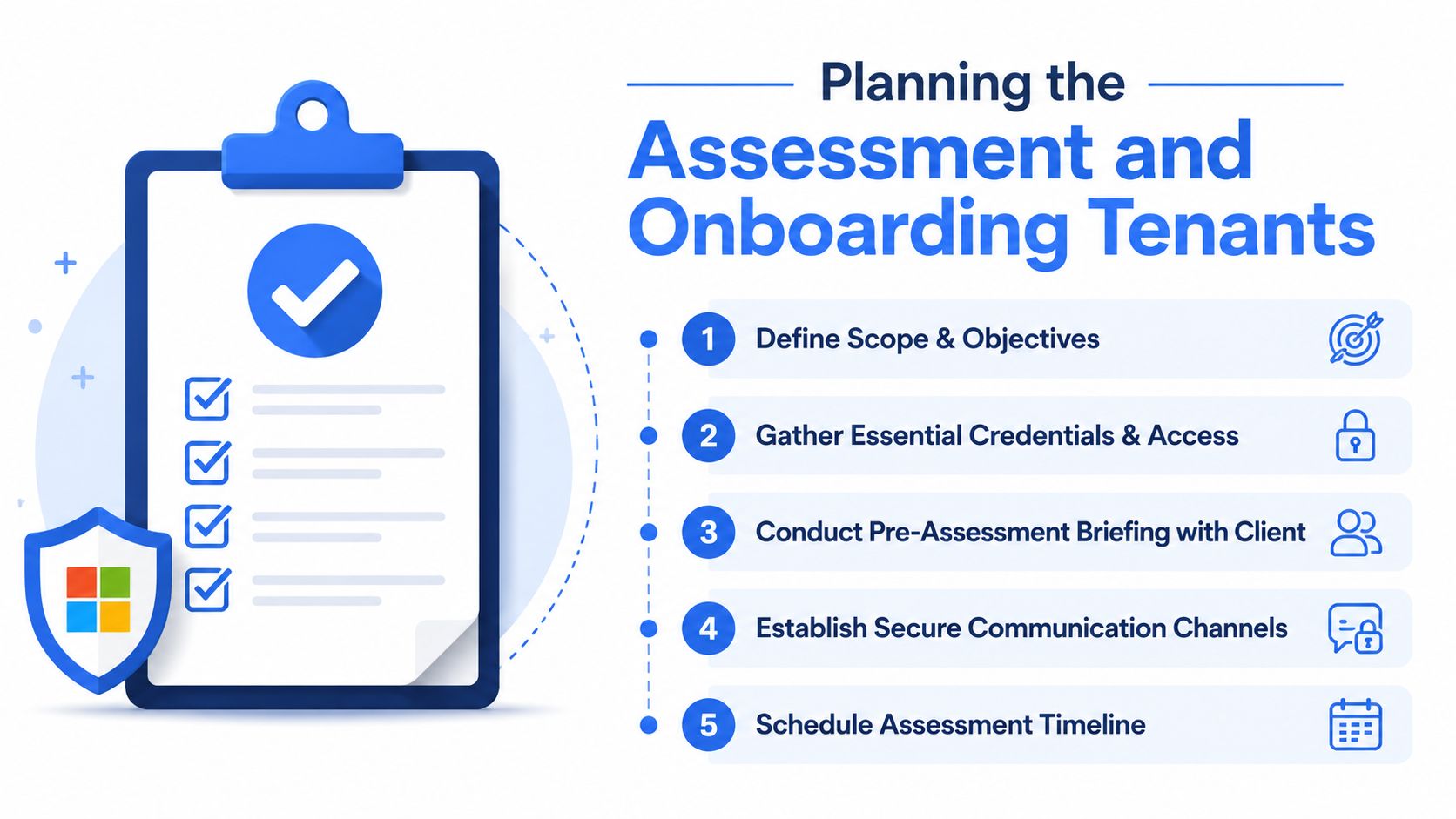
A professional Microsoft 365 engagement starts with a clean onboarding process.
Scope first, tools second
Don't start with “we'll run a scan.” Start with what matters to the client.
Ask which workloads are in play. Email in Exchange Online. Collaboration in Teams. File sharing in SharePoint and OneDrive. Identity in Entra ID. Admin controls, guest access, legacy auth, and data sharing rules. If they care about SOC 2, HIPAA, PCI DSS, or ISO 27001, include that in the scope from day one so the final output supports compliance work instead of creating another separate project later.
A good scoping call should settle these questions:
- Which Microsoft 365 components are in scope
- Whether this is configuration review, pentest, or both
- What level of tenant access is required
- Who approves testing windows and communications
- How findings should be prioritized for business impact
Keep access tight
A lot of providers get lazy here. They ask for too much access because it's easier for them. That's a bad look and a bad habit.
Use least privilege. Request only the permissions needed to review the tenant and perform the agreed assessment activities. Explain why each access level is needed. Clients trust a process that feels controlled.
The onboarding experience is part of the deliverable. If access handling feels messy, the client will assume the testing is messy too.
Use a repeatable intake checklist
You need a standard package. Not a custom scramble every time.
- Client contacts: Name the operational contact, decision-maker, and emergency approver.
- Environment details: Confirm licensing, workloads in use, major third-party integrations, and any high-risk business units.
- Testing constraints: Document blackout windows, regulated data concerns, and any systems or accounts that require extra care.
- Communication path: Set one secure channel for updates, approvals, and questions.
- Success criteria: Decide what “done” means before the work starts.
If you want a practical template for collecting upstream vendor and security context during intake, this vendor security assessment questionnaire helps standardize the discovery process.
Set the client's expectation correctly
Don't oversell magic. Tell them the truth. A Microsoft 365 security assessment can identify misconfigurations, policy gaps, privilege issues, risky sharing, and weak controls. It can also validate whether some of those controls stand up during real-world style penetration testing and pen testing activities.
That honesty closes more deals than buzzwords do. It also makes the final report easier to defend because nobody feels surprised by the process.
The Playbook for Technical Microsoft 365 Pentesting
Automated review alone won't cut it. If you want a useful result, the work needs a method and a human brain behind it. That's where manual pentesting, penetration testing, and focused Microsoft 365 review come together.
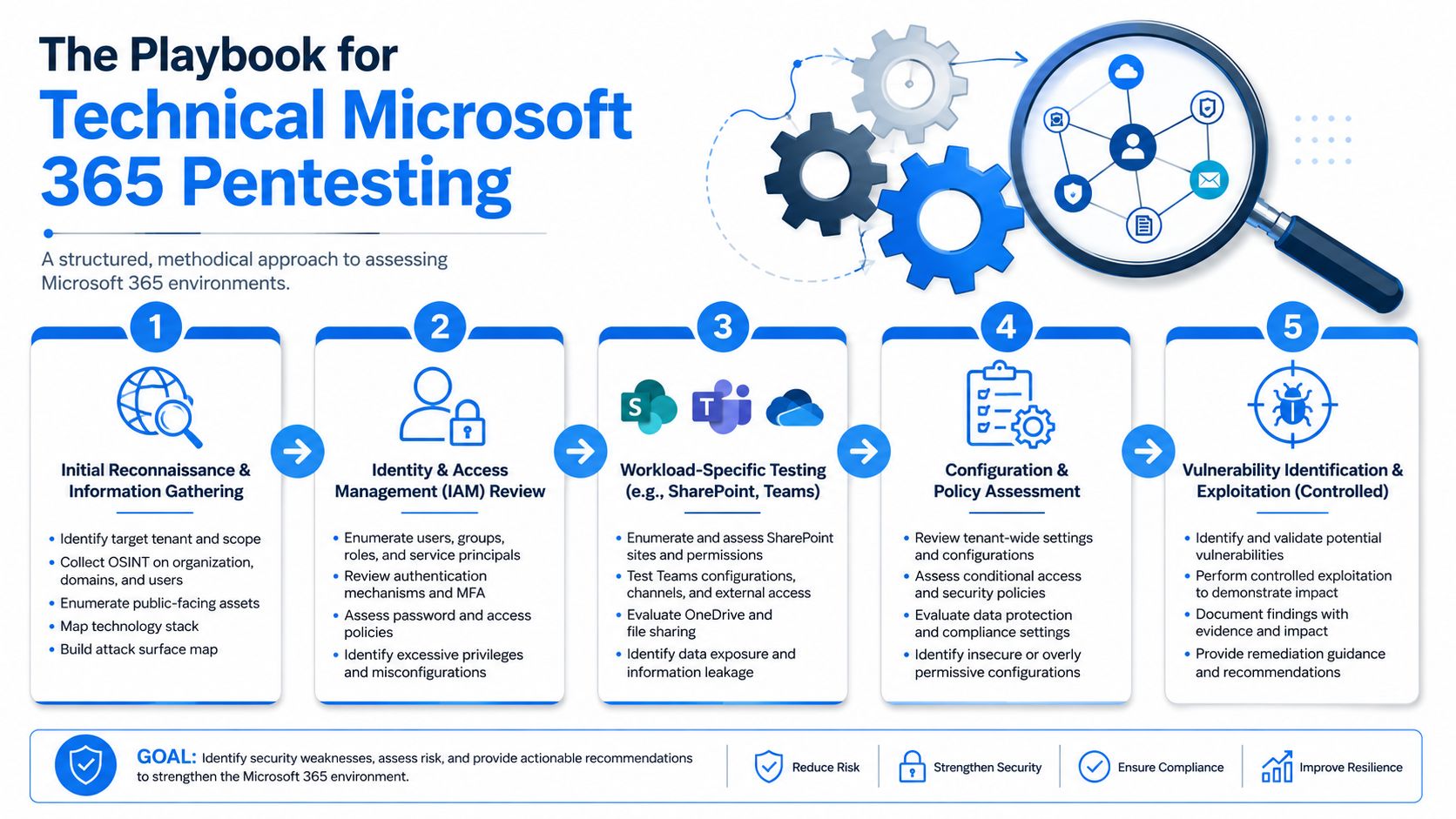
According to Augmentt's breakdown of Microsoft 365 assessments, a rigorous Microsoft 365 security assessment follows a documented 5-step methodology: Initial Assessment, Configuration Review, Compliance Verification, Apply Recommendations, and Continuous Monitoring. The same source says success rates for closing critical gaps exceed 85% when MSPs enforce this structured flow annually.
Step one and two reveal the obvious mistakes
The initial assessment should look hard at MFA coverage, privileged accounts, and admin role counts, revealing obvious problems that still get missed every day, such as shared admin behavior, unnecessary access, or weak identity hygiene.
Then comes configuration review. This should compare tenant settings against a recognized baseline such as CIS v8. That doesn't mean blindly chasing a checklist. It means using a benchmark to spot what's out of policy and then judging whether the deviation is justified.
A strong pen test in Microsoft 365 usually reviews:
AreaWhat gets examinedIdentity and accessMFA posture, admin roles, Conditional Access, legacy authentication exposureExchange OnlineMail flow risks, forwarding behavior, mailbox access patterns, admin settingsTeamsGuest access, external communication posture, file-sharing controlsSharePoint and OneDriveAnonymous links, broad sharing, data exposure pathsPrivileged usageDaily-driver admin behavior, stale elevated accounts, excessive permissions
Step three and four connect security to business use
Compliance verification matters because clients rarely buy security in a vacuum. They buy it because customers, auditors, insurers, or boards are asking questions. That's where technical findings have to line up with SOC 2, HIPAA, ISO 27001, or PCI DSS expectations.
Then you apply recommendations. Many weak providers fail at this stage. They dump a list of findings and disappear. A useful engagement gives the MSP a practical remediation path, not just a pile of screenshots and jargon.
Field advice: If a finding can't be explained to the client in plain English, it probably hasn't been triaged properly.
Step five is what keeps the work alive
Continuous monitoring is where an assessment becomes a managed service conversation instead of a one-and-done project. You're not just identifying drift. You're creating a reason to review changes, test assumptions, and keep Microsoft 365 aligned with how the client works.
This is also where certified testers matter. A team with OSCP, CEH, and CREST backgrounds brings a different level of discipline to pentesting than checkbox-only shops. The goal isn't to make the report sound scary. The goal is to make it accurate, usable, and grounded in real attacker behavior.
Validating Findings Beyond Automated Secure Scores
Secure Score is useful. It's also one of the most over-trusted dashboards in the industry.
A decent score can tell you that recommended settings exist. It cannot prove those controls will hold up when someone actively tries to get around them. That's the gap many MSPs ignore, and it's exactly why clients end up with false confidence.
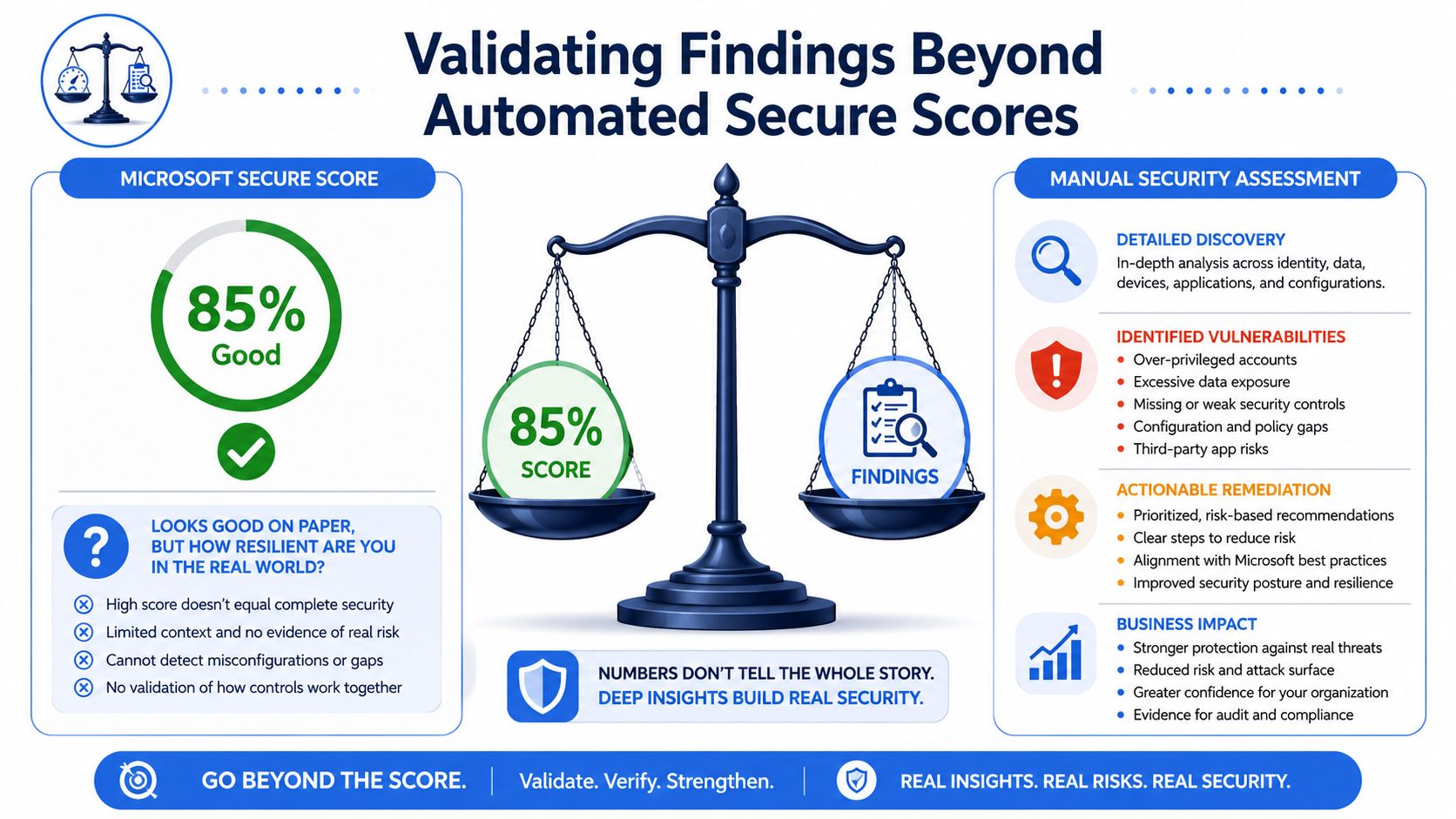
A YouTube discussion on Microsoft 365 assessment validation notes that 85% of MSPs enable Conditional Access, but only 12% perform active adversarial emulation to verify whether those policies effectively block lateral movement or credential theft. That's a massive quality gap between “configured” and “tested.”
A score is not a simulation
Manual pentesting earns its keep. A real reviewer doesn't stop at dashboard outputs. They try to validate what happens if an attacker abuses session behavior, targets weak policy design, leans on unmanaged access paths, or looks for identity mistakes your automation didn't interpret correctly.
That means testing things like:
- Conditional Access behavior: Does the policy apply where you think it applies?
- Privilege pathways: Can a low-risk-looking account still reach high-impact resources?
- Legacy exposure: Are there older access methods weakening the modern controls?
- Lateral movement opportunities: Can one foothold turn into broader tenant access?
Why automation misses the ugly stuff
Automated tools are built to be broad and safe. That's fine for baseline review. It's not enough for active validation.
A skilled penetration test professional asks a different question. Not “Did the tenant enable the setting?” but “Can I still get around it?” That's the difference between reporting posture and testing resilience.
High Secure Score with no active validation is like locking the front door and never checking the side entrance.
Certifications once again prove their worth. An OSCP, CEH, or CREST certified tester isn't valuable because of the letters alone. They're valuable because good testers know how to think through bypass paths, chained weaknesses, and control failures that a native score won't surface.
What MSPs should package instead
Don't sell a screenshot review as if it's deep assurance. Package two layers.
First, do the tenant assessment and policy review. Second, add targeted pen testing or penetration testing to validate whether critical controls resist abuse. That combination is easier for a client to understand, easier for a vCISO to defend, and easier for a GRC team to tie back to operational risk.
It also separates you from low-end providers who run an automated tool, pad the report, and invoice like they performed a real security engagement.
Mapping Assessment Findings to SOC 2 Compliance
Most clients don't buy a Microsoft 365 security assessment just because they enjoy hardening identity controls. They buy it because an auditor, customer, board member, or regulator expects evidence that someone looked.
That's where your technical findings need to become compliance evidence.
Turn technical issues into control language
If external sharing is too loose, that's not just a SharePoint problem. It becomes a control issue around access, data protection, and change governance. If admin roles are too broad, that's not just identity cleanup. It maps to least privilege, access review, and privileged control expectations.
For SOC 2, HIPAA, ISO 27001, and PCI DSS, the report should connect each finding to the practical business risk and the likely control objective involved. In this context, a vCISO, CPA, or GRC advisor can add real value. They translate technical detail into audit-ready action.
A good companion visual for non-technical stakeholders is this overview on understanding compliance for cyber security. It helps frame why control evidence matters across multiple frameworks.
Use Microsoft's free baseline the smart way
A Reddit MSP discussion on Microsoft 365 assessment workflow points to Microsoft's complimentary Zero Trust assessment tool, which can be run with a single PowerShell command and generates a structured spreadsheet. It provides a baseline for things like MFA adoption rates and privileged account protection.
That baseline is useful. It is not the final deliverable.
Use it to organize the conversation, spot obvious gaps, and prepare for deeper manual review. Then map the validated findings into a format your client can use in audits, board reporting, and remediation planning. If you need a cleaner way to align findings to trust services criteria, this SOC 2 security controls list is a helpful reference point.
The report should answer three compliance questions
- What was reviewed: Identify the Microsoft 365 areas examined and the assessment method used.
- What failed or needs work: State the issue clearly, without hiding behind vendor jargon.
- What evidence supports remediation: Give the client a documented path they can show to an auditor.
If your report can do those three things, it stops being a security artifact and becomes a compliance asset.
Delivering Actionable White-Label Pentest Reports
The report is where most providers blow it. They either drown the client in technical noise or hand over a polished PDF that says almost nothing useful.
A strong white label pentesting report should make your client feel two things immediately. First, the risk is understood. Second, there's a practical plan to fix it.
What good reporting actually looks like
The best reports don't read like a terminal log. They read like a business document written by someone who understands both security and the client relationship.
That means every finding should include:
- A plain-English summary: What's wrong and why it matters
- Business impact: What this could lead to if ignored
- Evidence: Enough technical support to prove the issue is real
- Remediation guidance: Specific next steps your team can act on
- Priority: Clear order of operations so the client doesn't freeze
Client-facing reality: If the report creates confusion, the client won't buy the remediation.
Why white-label delivery wins deals
For an MSP, reseller, or vCISO, white-label delivery solves a real business problem. You get expert technical depth without building an in-house penetration testing team, and you keep your brand in front of the client.
That matters. You stay in control of the relationship. You present the findings. You own the roadmap. You avoid handing your customer off to a security vendor that might decide to pitch around you later.
That's also why channel-only partnership matters so much in this space. If your delivery partner competes with you, the model is broken before the first report goes out.
Fast, affordable, and still manual
The industry has normalized ridiculous pricing and slow turnaround for work that should be tighter and more disciplined. That frustrates MSPs because delays kill urgency and kill follow-on revenue. By the time the report lands, the buyer has moved on.
A better model is affordable, fast, and still grounded in manual pentesting by certified professionals. Not fake “AI pentesting.” Not a glorified scan. Real human review, clear remediation, and delivery you can build into your sales process.
If you need a benchmark for what a client-friendly deliverable should include, this pen test report template is a useful reference.
When you package Microsoft 365 assessments this way, you don't just add another service line. You create a repeatable engine for security projects, compliance support, and client retention.
If you want a channel-only partner that helps you deliver white label pentesting, manual pentesting, and Microsoft 365 security assessments without competing for your clients, our risk assessment service is built for that model. Our certified pentesters hold OSCP, CEH, and CREST credentials, we keep turnaround fast, and we stay behind the scenes so your brand stays front and center. Contact us today to learn more.

.avif)
.png)
.png)
.png)


