
Wireless penetration testing is a hands-on test of a client's Wi-Fi and everything connected to it, and it finds the ways an attacker gets onto the network from outside the building, before they do. For MSPs, it's one of the simplest security services to add, because most of the work now happens remotely. Radio doesn't stop at the wall. Your client's network is sitting in the parking lot whether they know it or not, and the firewall you're watching never sees it.
That's the whole problem with wireless: the attack surface leaves the building, and the wired tools most MSPs run stop at the edge of the wire. That's the gap MSP Pentesting handles under your brand, channel-only wireless penetration testing that ships back as a report with your logo on it. Here's what it is, what it checks, and how you deliver it without buying the gear or building the skills yourself.
What wireless penetration testing is
It's a hands-on test of a client's Wi-Fi and everything hanging off it. A tester gets in range, the same as an attacker would, and works the encryption, the authentication, the access points, and the line that's supposed to keep guest traffic away from the corporate side. One question drives all of it: can someone outside the building get on the network, and once they're on, how far do they get?
That's a different question than a wired test asks. A wired test usually starts with the attacker already inside. A wireless test asks whether they can get inside at all, without ever walking through the door.
Why Wi-Fi is a soft target
A network that feels private from the conference room is often wide open from the sidewalk or the floor upstairs. That one fact changes everything. The attacker doesn't have to get past the front desk. They just have to get close.
From there it's the usual suspects. A short or reused pre-shared key gets captured and cracked offline. A guest network that isn't really separated becomes the on-ramp to the corporate side. An old access point still speaking weak encryption is an open invitation. And the pile of smart devices on every network now, cameras, sensors, printers, is almost never locked down.
What a wireless pentest looks for
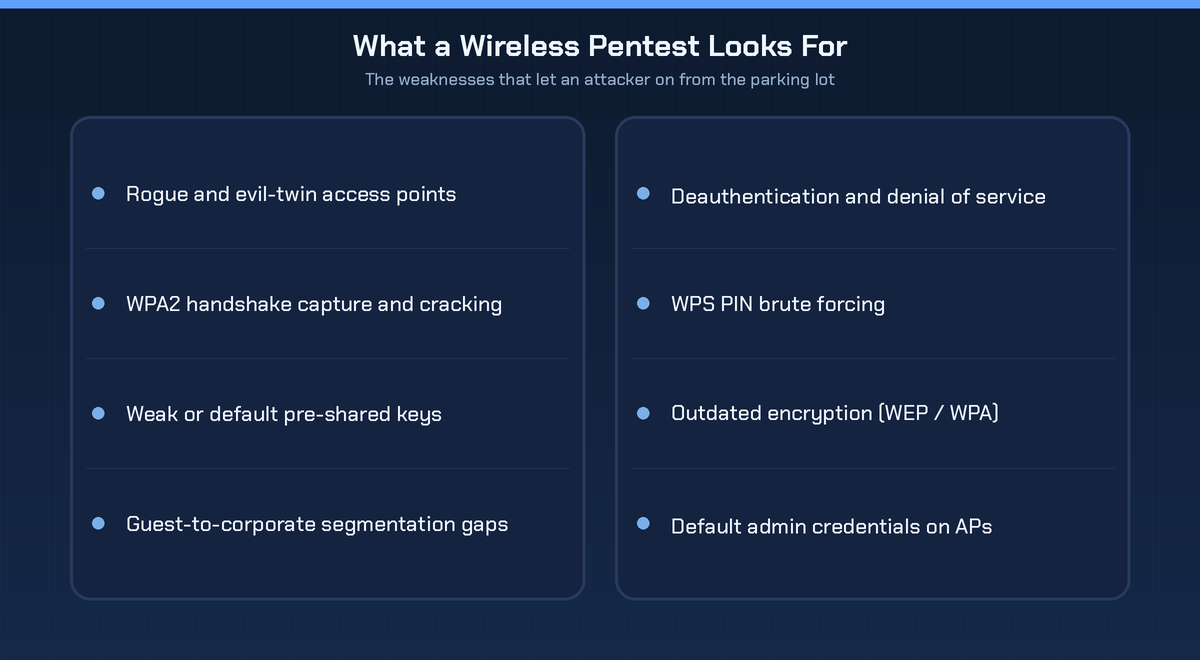
A real test runs a consistent checklist. Rogue and evil-twin access points, where an attacker stands up a lookalike network and collects credentials. A captured WPA2 handshake cracked offline. A guest network that can reach the corporate one, which is as common as it is damaging. WPS left switched on. Old encryption like WEP or early WPA. Default admin logins still sitting on the access points. And a network that folds the moment someone sends deauthentication frames at it. Every one of these is a real way in, and not one of them shows up on a wired vulnerability scan.
How a wireless pentest works
Clear path, done by a person, not a tool left running in the corner.
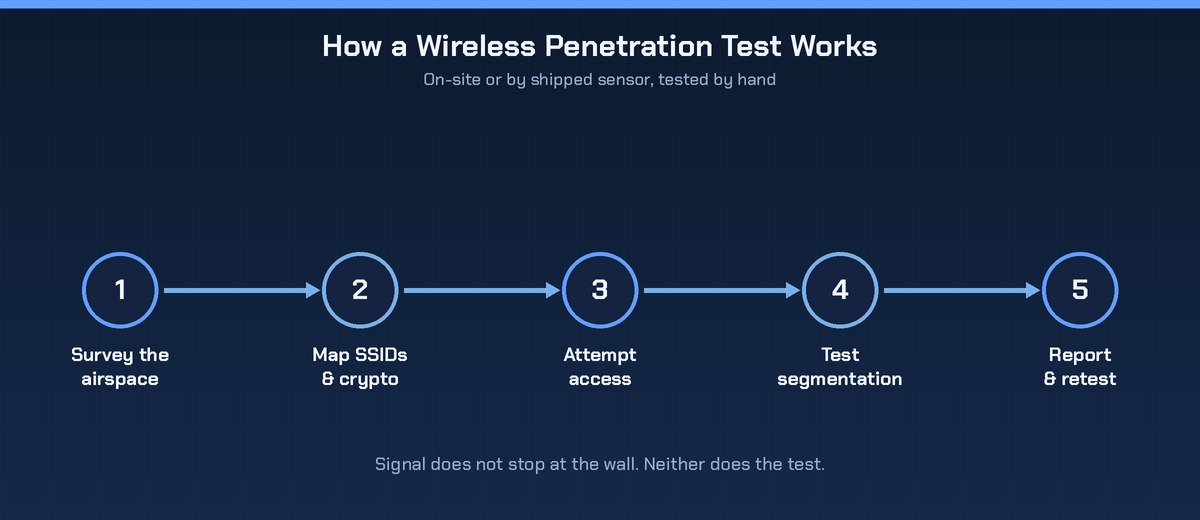
It starts by surveying the airspace, mapping every network and device in range, including the ones the client swears aren't there. The tester logs each SSID and its encryption, then tries to get on, either by cracking a weak key or standing up an evil twin. Once on, they test the segmentation: can they hop from the guest or device network to the systems that matter. Then, after the client fixes what turned up, they retest to make sure the gaps are actually closed.
On-site, or by a sensor in the mail
Wireless testing used to mean putting someone on a plane. Not anymore. For a lot of engagements a small sensor ships to the client's office, gets plugged in, and the tester drives it remotely. That keeps the price down and makes multi-site clients realistic. On-site still earns its place for messy environments, but the shipped-sensor model is what turns wireless into something you can actually sell at scale.
Wireless penetration testing and compliance
Wireless shows up in audits more than people expect. PCI DSS makes organizations check for unauthorized, rogue access points on a regular basis and prove the in-scope wireless is locked down. For a client chasing SOC 2, wireless is part of the network story an auditor wants to see handled. Card data or an audit in play, and wireless stops being optional.
How MSPs deliver wireless pentests without an in-house team
Wireless testing needs specific gear and specific skills, and neither gets used enough to justify owning. You don't have to. Scope the job with your client, a sensor ships out or a tester shows up, and the report comes back under your brand. Your client sees your logo and your expertise. That's what white-label pentesting is built for, and wireless is one of the easiest lines to bolt on because most of the work happens remotely.
If you already run a client's network, wireless penetration testing is just the next room over. Our guide to network segmentation best practices covers the control a wireless test loves to expose.
Frequently asked questions
How is a wireless pentest different from a network pentest?
A standard network test works the wired side, usually from a spot already inside it. A wireless test works the radio layer and asks whether an attacker can get onto the network from outside in the first place. Plenty of clients need both.
Does the tester have to be on-site?
Often not. Many wireless tests run off a small sensor shipped to the client and operated remotely, which keeps the cost down and suits multi-site clients. On-site is for the more complicated environments.
Isn't WPA3 enough on its own?
WPA3 helps, and it closes several older attacks. It doesn't fix weak passwords, sloppy segmentation, rogue access points, or misconfigured devices. Those still need testing.
How often should wireless be tested?
At least once a year, and again after any real change, a new office, a new access point rollout, a guest network tweak. Frameworks like PCI DSS also set their own pace for catching rogue wireless.
The bottom line
Wireless is the one attack surface that reaches past your client's walls, and it's invisible to the wired tools most MSPs run. That makes wireless penetration testing a clear, easy service to add, especially now that a sensor in the mail takes the travel out. Survey the airspace, test the encryption and the segmentation, prove what you find, and put your brand on the report.

.avif)
.png)
.png)
.png)

