
An Active Directory audit is a deep dive into your client's IT network. Think of it like a meticulous inspection of a building's foundation. It's the process of systematically checking their AD environment to find every misconfiguration, vulnerability, and sign of compromise. For any MSP or vCISO, this isn't optional; it's how you protect your clients from a catastrophic breach.
Why Your Clients Need an Active Directory Audit
Active Directory is the key master for your client's entire network. It controls access to everything: sensitive financial data, customer information, and critical infrastructure. If an attacker gets those keys, it's game over. A regular Active Directory audit is a non-negotiable security function. It can mean the difference between business as usual and a business-ending breach.
An AD audit is a specialized, crucial piece of the broader cyber security audit process. It focuses on the one system attackers almost always hit first to gain a foothold and spread across a network.
Understand an Attacker's Favorite Playground
Attackers love Active Directory. It's often a tangled mess of legacy settings, forgotten accounts, and overly generous permissions. A single employee with a weak password or a stale admin account is all an attacker needs to get in.
We're not talking about complex zero-day exploits here. Most breaches happen because of basic configuration issues that a routine audit would have flagged. Once inside, attackers move fast: escalating privileges, disabling security tools, and deploying ransomware. The damage is always devastating.
Uncover Top Active Directory Vulnerabilities
A thorough audit is designed to uncover and fix common vulnerabilities before they can be exploited.
These aren't just theories; they are the bread and butter of real-world attacks. Our job as your partner is to find and fix them through an affordable, fast, and manual penetration test.
Translate Audits Into Compliance Wins
For your clients in regulated industries, an Active Directory audit is essential for compliance. Frameworks like SOC 2, HIPAA, and PCI DSS all have strict requirements for access control, user account reviews, and activity monitoring. A proper AD audit delivers the hard evidence you need to satisfy auditors.
By conducting these audits, you become a true security partner. You help clients achieve their GRC (Governance, Risk, and Compliance) goals, avoid massive fines, and build trust. We are a channel-only partner, meaning we never compete with our MSP or vCISO clients. We provide the pentesting resources to make you the hero.
How to Scope Your Active Directory Audit
A real Active Directory audit is a targeted mission, not a blind fishing expedition. As an MSP or vCISO, defining the scope is the first step. You need a hit list of high-value targets that every attacker dreams of compromising.
Your goal is to zero in on the AD objects that create the most risk. Your audit scope must cover these critical components:
- Privileged Accounts: Hunt down every account with elevated rights, not just Domain Admins, but also Enterprise Admins and custom groups with delegated permissions.
- Service Accounts: These are often forgotten keys to the kingdom. They can have passwords that never expire and run apps with high privileges, making them perfect targets for Kerberoasting attacks.
- Sensitive Security Groups: Find every group that grants admin access or controls sensitive data. Anyone who can modify these groups is a ticking time bomb.
- Computer Accounts: Don't forget machine accounts, especially on domain controllers. A simple misconfiguration can let an attacker own the entire domain.
This focused approach helps you find and fix the most dangerous issues first. A good audit is all about prioritization, which is the foundation of a solid risk assessment.
Gather the Right Data for Your Audit
Once you know what to look for, you need to collect the evidence. Your client's Active Directory is a firehose of data. The trick is grabbing the specific logs and attributes that reveal its security posture.
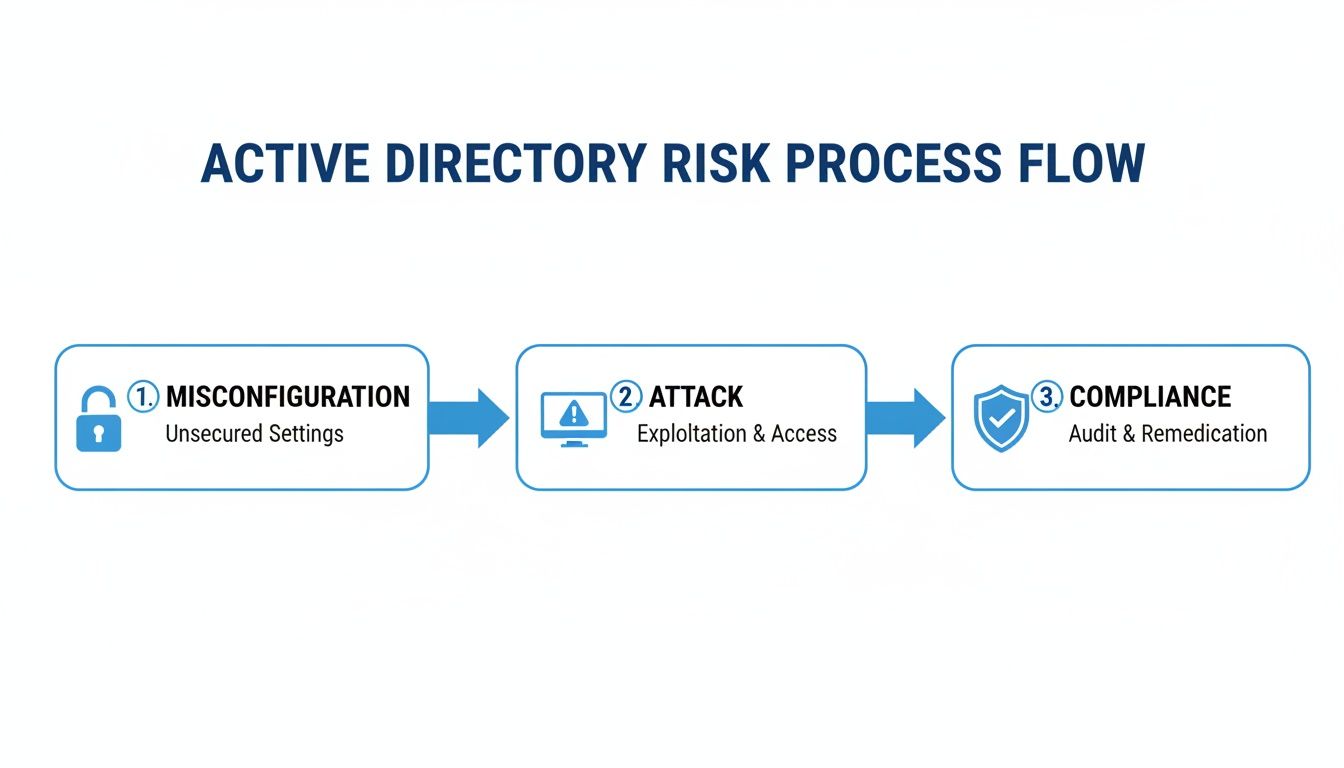
To get the full picture, you have to pull data from different sources. Key data sources include:
- Security Event Logs: The security logs on your Domain Controllers are gold. They track logins, account lockouts, and changes to security groups. A SIEM can make sifting through this data easier.
- Group Policy Objects (GPOs): GPOs control everything from password policies to which protocols are enabled. Digging into them reveals tons of risky settings.
- AD Object Attributes: Every user, computer, and group has a list of attributes. PowerShell is your best friend for pulling these attributes and finding risky configurations.
This is how you connect the dots. Cross-referencing logs with AD object attributes helps spot massive red flags, like a new account being added to a privileged group at 2 AM. This methodical approach is what makes an Active Directory audit truly effective.
Analyze the Attack Surface for Critical Flaws
You've gathered the data; now the real work begins. It's time to think like an attacker and hunt for the flaws that actually matter. An Active Directory audit isn't about checking boxes; it's about finding and neutralizing threats before they are used against your client.
All those logs and settings are your intelligence. Connecting the dots reveals the hidden risks that automated scanners miss. This is the core of a real penetration test, not just a glorified scan.
Hunt for Over-Privileged User Accounts
The "principle of least privilege" is a great idea, but it's rarely implemented perfectly. Your first move should be to find every account with more power than it needs. Start by querying for members of high-privilege groups, but don't stop at Domain Admins.
Look deeper into groups like:
- Enterprise Admins
- Schema Admins
- Backup Operators
- Account Operators
An attacker who compromises any of these accounts can do devastating damage. Your goal is to ensure membership is an exclusive, heavily monitored club.
Detect Weak Password & Kerberoasting Risks
Weak passwords are still the front door for most attackers. Kerberoasting is a nasty attack that targets service accounts with weak passwords. Since these accounts often have high privileges and non-expiring passwords, cracking one can hand an attacker the keys to the kingdom.
You should hunt for these vulnerable accounts before an attacker does. A simple PowerShell script can pull all user accounts with a Service Principal Name (SPN) configured. Any decent risk assessment must include rooting out these accounts. Our guide on threat and vulnerability management helps you understand the attacker's mindset.
Uncover Risky GPO and Delegation Settings
This is where subtle but dangerous misconfigurations hide. An attacker who can write to a Group Policy Object (GPO) can deploy ransomware to every machine. A bad delegation setting can let a standard user become a Domain Admin.
Look for these two critical issues right away:
- Unconstrained Delegation: This legacy setting lets a service impersonate any user who connects to it. If a Domain Admin authenticates to a server with this enabled, an attacker can grab their credentials.
- Dangerous GPO Permissions: Audit who can write to GPOs, especially those linked to sensitive OUs like Domain Controllers. Any non-admin account with write access is a huge red flag.
These checks separate a real security assessment from a simple scan. This is the deep analysis that manual pentesting provides, an assurance no automated tool can deliver. It's what separates a basic audit from a true penetration testing service that we, as your channel-only partner, can deliver affordably and quickly.
Turn Audit Findings into Compliance Wins
An Active Directory audit that just lists technical flaws is useless. The real value is in translating that tech-speak into business risk. This is how you show clients that "excessive admin rights" is a direct threat to passing their next SOC 2 or HIPAA audit.
By mapping your findings to controls in frameworks like SOC 2, HIPAA, and PCI DSS, you connect the dots. You show exactly how a sloppy AD setup leads to failed audits, huge fines, and a damaged reputation. This is how you become a trusted compliance advisor.
Translate Technical Jargon to Business Risk
Your clients' executives care about risk, compliance, and budget. When presenting audit findings, you have to speak their language. Don't say "we found several stale admin accounts."
Try this instead: "We found three dormant admin accounts with full network privileges. This is a direct violation of SOC 2 access control policies, and an attacker could use any of them to take over your company." Now you have their attention.
The power of an audit is turning technical vulnerabilities into quantifiable business risk. When you show an executive how an AD mistake puts them out of compliance with PCI DSS, you become a strategic partner.
Map AD Audit Findings to Compliance
For MSPs and vCISOs, this is where you prove your value.
This is the day-to-day work that helps your clients pass their audits and understand data security compliance.
Become an Indispensable Partner with Us
As a channel-only partner, our job is to make you look good. We deliver fast, affordable, and thorough manual pentesting from OSCP, CEH, and CREST certified experts. When we run a penetration test on your client's Active Directory, we don't just give you a problem list.
Our findings are mapped directly to compliance requirements, arming you for those high-stakes conversations. Our guide to SOC 2 penetration testing shows how our process works. This lets you position a pen test as a critical investment in their compliance strategy.
How to Fix and Report on Audit Findings
Finding holes is only half the battle. An Active Directory audit that doesn't lead to fixes is a waste of time. For an MSP or vCISO, the real value is turning findings into an action plan and a report that gets people to act.

This is where you become a strategic security partner. It's about pushing for practical fixes and knowing your audience. Give the tech team the details and give the C-suite the business case.
Create a Remediation Hit List for Clients
Prioritize your findings based on risk and effort. Go for easy wins and big threats first to show immediate progress.
Group findings into four buckets:
- Account Hygiene: Start by disabling or deleting all stale and dormant accounts, especially privileged ones.
- Privilege Reduction: Review every high-powered group and remove anyone who doesn't need that access daily.
- Policy Hardening: Strengthen password policies and push for Multi-Factor Authentication (MFA) everywhere.
- Configuration Cleanup: Mop up specific misconfigurations like unconstrained delegation or risky AD permissions.
This focus gives you the biggest security bang for your buck. These changes make it much harder for an attacker to get a foothold.
Structure a Report That Actually Gets Read
A one-size-fits-all report is a recipe for inaction. The IT team needs technical guides, while the CEO needs to understand the business risk. A solid audit report has two parts:
- Executive Summary: Keep it to one or two pages for the vCISO and leadership. No jargon. Use charts to show risk and highlight the top 3-5 critical findings. Explain the business impact, like failing a PCI DSS audit.
- Technical Deep Dive: This is for the team in the trenches. List every finding by severity. Provide detailed explanations and clear, step-by-step remediation instructions.
The goal of your report is to persuade. A great report makes remediation so clear that taking action is the only logical choice.
Validate Your Fixes with a Penetration Test
You've implemented fixes. How do you prove they worked? An audit shows the problems, but a penetration test confirms they're solved. This is the crucial final step.
This is the perfect time to bring in our team. As a channel-only partner, we offer fast, affordable, and white label pentesting delivered by certified OSCP, CEH, and CREST professionals. You can position a pen test to your client as the ultimate validation of your hard work.
Our manual pentesting mimics a real-world attacker, giving you concrete proof that the vulnerabilities are gone. This validates your work and gives clients evidence for compliance frameworks like SOC 2 and ISO 27001. A clean penetration testing report is a powerful tool to prove their improved security and your value.
Contact us today to see how our white label pentesting can strengthen your client relationships.
An automated scan will only get you so far. To truly prove your remediation is solid, you need a human on the other side. This is where manual pentesting makes a critical difference. It's how you war-game your client's defenses against a real person.
Our OSCP, CEH, and CREST certified pentesters do what scanners can't. They chain together subtle misconfigurations in Active Directory that often lead to a full domain compromise. It's the deep-dive analysis any MSP or vCISO serious about security needs to offer.
Your Go-To White Label Pentesting Partner
We are a channel-only partner. We work for you, never around you. Our business supports MSPs, compliance consultants, and IT resellers. Forget waiting months for a report; we deliver fast, affordable penetration tests on a timeline scoped to the engagement.
Partnering with us lets you add high-value, white label pentesting to your services under your brand. You make your client relationships stickier and give them the validation they need for SOC 2 and HIPAA. A penetration testing service is the ultimate proof that your fixes worked.
Contact us today to learn more.
Common Questions About Active Directory Audits
Even if you've been in the IT game for years, an Active Directory audit can bring up tough questions. As a trusted partner, you need the right answers. Here are questions we see all the time from MSPs and vCISOs.
How Often Should We Audit Active Directory?
At a minimum, a comprehensive Active Directory audit should be done at least once a year. For clients with compliance mandates like SOC 2 or HIPAA, that's not enough. You should push for quarterly or even monthly reviews, especially for privileged groups and GPO changes.
Can We Just Rely on Automated Scanners?
Automated tools are fine for finding the obvious stuff. But they can't think like an attacker or chain together complex vulnerabilities. A real security assessment demands manual pentesting to uncover the business logic flaws that scanners always miss. Our OSCP and CREST certified experts simulate what a real adversary would do.
An automated scan tells you what might be a problem. A manual penetration test tells you what is a problem by actually exploiting it. That is the proof you need to get remediation budgets approved and pass audits.
How Much Does a Real Pen Test Cost?
Many MSPs think a manual penetration test is too expensive for their clients. We built our business to prove that wrong. As a channel-only partner, we deliver fast, affordable pen testing specifically for the reseller market. You get the same high-quality testing from the big firms but without the ridiculous price tag.
Ready to stop leaving money on the table and give your clients the assurance they actually need? MSP Pentesting provides affordable, white-label pentesting with reports you can be proud of. See how white-labeled pentest delivery works and let's talk about making you our next security partner.

.avif)
.png)
.png)
.png)

