
You're probably dealing with one of two situations right now. Either you're provisioning a new client machine and want the cleanest modern build, or you inherited a legacy system and don't want a simple disk decision to turn into a recovery, compliance, or client-trust problem.
That's why GPT vs MBR still matters. It looks like a setup checkbox, but it affects how you deploy systems, how you recover from failure, and how confidently you document controls for SOC 2, HIPAA, PCI DSS, and ISO 27001.
For an MSP, vCISO, GRC advisor, or reseller, this is not nerd trivia. It's part of your client's security baseline. If you pick the wrong partition style, you create avoidable risk. If you pick the right one and document it well, you look like the trusted advisor clients keep.
Why Disk Partitioning Still Matters for MSPs
A lot of providers treat disk partitioning like background noise. That's a mistake. The partition scheme shapes how the system boots, how storage gets used, and how ugly recovery gets when something breaks.
If you're standing up a new server for a compliance-focused client, this matters immediately. A bad choice at install time can force rework later, especially when the client expects stable recovery procedures, clean audit evidence, and predictable endpoint standards.
Why clients care even if they don't know it
Clients usually won't ask whether a workstation or server uses GPT or MBR. They'll ask why a new drive can't use all its space, why an upgraded endpoint won't boot the way expected, or why a rebuild took longer than planned.
That puts the burden on you. Your recommendation needs to tie technical choices back to business outcomes:
- Risk reduction: A modern foundation lowers the odds of avoidable deployment and recovery issues.
- Compliance readiness: Standardized builds are easier to explain during a risk assessment or audit conversation.
- Client trust: Clear technical decisions make your team look deliberate, not reactive.
Practical rule: If a client is buying modern hardware and doesn't have a hard legacy requirement, treat GPT as the default and make someone justify using MBR.
Where this shows up in real MSP work
This comes up during more than operating system installs. You'll hit it during hardware refreshes, image redesigns, business continuity planning, and inherited environment cleanups.
It also matters for security work. Partitioning is low-level, but low-level mistakes create high-level headaches. If your stack is supposed to support compliance, stable recovery, and clean operations, the foundation has to match that goal.
Key Technical Differences GPT vs MBR
The short version is simple. MBR is old and limited. GPT is built for modern systems.
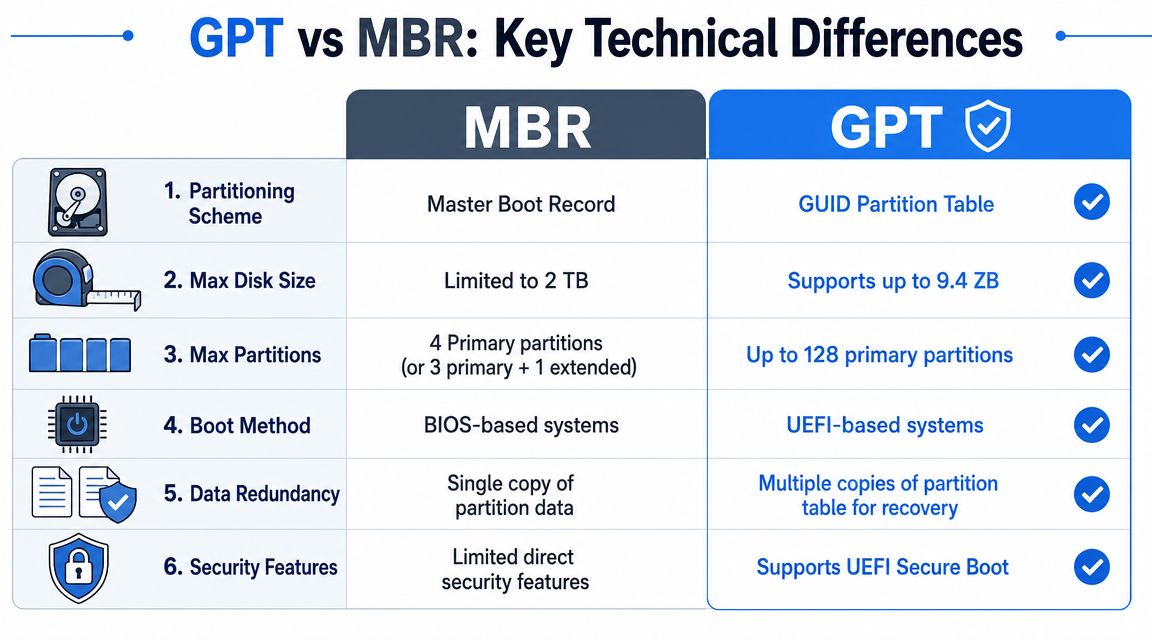
The practical differences are not subtle. MBR uses a 32-bit partitioning model and is constrained to about 2 TB and 4 primary partitions (or 3 primary + 1 extended), while GPT uses 64-bit addressing and typically supports up to 128 primary partitions with a theoretical disk ceiling of 9.4 ZB, according to this GPT and MBR partitioning overview.
Here's the side-by-side view most MSP owners need.
FeatureMBR (Master Boot Record)GPT (GUID Partition Table)Partitioning model32-bit64-bitApproximate disk capacity limitAbout 2 TBTheoretical ceiling of 9.4 ZBPartition count4 primary partitions, or 3 primary + 1 extendedTypically up to 128 primary partitionsBest fitLegacy systemsModern systems and large drivesOperational flexibilityLowerHigher
What those limits mean in practice
The 2 TB ceiling is not academic. If a client has larger storage and you deploy MBR anyway, you can strand usable capacity behind a legacy format. That's the kind of avoidable mistake that makes clients question the rest of your engineering choices.
The partition limit matters too. GPT's broader partition support gives you cleaner ways to organize system, recovery, and data volumes without awkward workarounds. That helps with administration and makes environments easier to understand later when another engineer inherits them.
My recommendation for MSPs
Use GPT for new builds. Don't overthink it.
Use MBR only when you have a known legacy dependency that you've verified in advance. That could be an older OS, a BIOS-locked device, or a client workflow that can't move yet. If that dependency isn't documented, you're not making a technical exception. You're guessing.
GPT is the format you choose when you want scalability, cleaner operations, and fewer self-inflicted limitations.
For reseller and white label pentesting partners, this matters because your credibility comes from making infrastructure choices that hold up under scrutiny. A client may never praise your partitioning decision. They will notice the downtime and confusion that follow a bad one.
UEFI vs BIOS System Compatibility Showdown
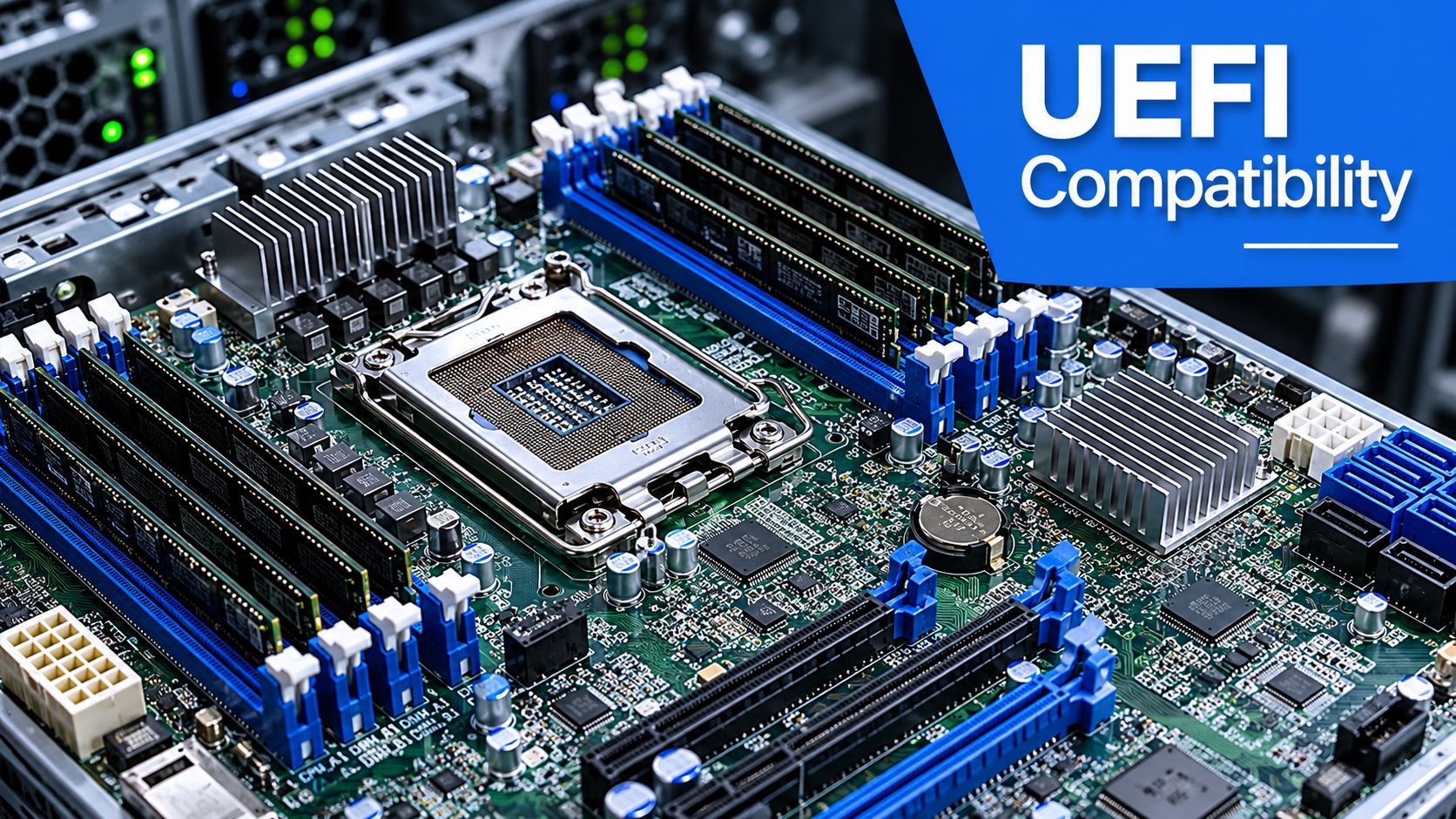
The partition style and firmware choice have to match reality. GPT aligns with UEFI, while MBR is native to legacy BIOS, and GPT is the default choice for modern Windows 64-bit, modern Linux, and macOS installations, while MBR is mainly for legacy compatibility, as explained in this firmware compatibility breakdown.
That's the key compatibility line. If you're building on modern hardware, the secure and sensible stack is UEFI plus GPT.
Why this matters for security posture
A lot of MSPs still inherit devices running in legacy mode because someone wanted the fastest path to “working.” That shortcut creates long-term friction. Legacy-oriented builds are harder to standardize, harder to explain in audits, and more likely to stay glued to old deployment habits.
For vCISO and GRC work, consistency matters. If your baseline says the client follows modern hardening standards, but the fleet still depends on older firmware behavior and legacy partitioning, your documentation starts looking weaker than your policy language.
The business problem with compatibility workarounds
Compatibility workarounds keep old workflows alive, but they also keep old risk alive. If a client relies on legacy imaging, older recovery tooling, or old hardware assumptions, you need to call that out as a business decision, not hide it as an engineering detail.
Use this simple decision path:
- Modern endpoint or server: Pair UEFI with GPT.
- Known legacy requirement: Use the older path only with documented approval.
- Mixed environment: Segment the exception and track it like any other risk.
- Compliance-sensitive client: Standardize the build and document the rationale.
If a client wants modern security outcomes, don't build on a legacy boot foundation unless there's no other option.
That's especially relevant in regulated environments. HIPAA, PCI DSS, and SOC 2 conversations often come back to whether controls are repeatable and whether the environment is managed with intent. A random mix of BIOS-era and UEFI-era setups makes that harder.
Recovery Forensics and Pentest Implications
Recovery is where the GPT choice earns its keep. Microsoft notes that GPT uses primary and backup partition tables for redundancy and CRC32 integrity checks, which improves corruption detection and recovery versus MBR's single partition table design, according to the Windows and GPT FAQ from Microsoft.
That's not just a technical footnote. It affects how painful a failure becomes when a client has an outage, a boot issue, or a disk corruption event.

Why resilience matters to compliance teams
When systems fail, your client doesn't care about partition theory. They care whether data is recoverable, whether downtime is controlled, and whether your team can show that recovery planning was thoughtful.
That's why this belongs in broader continuity planning. If you're building client documentation, practical resources like these disaster recovery plan examples help connect technical design choices with real operational planning.
Where pentesting and forensic review overlap
A good pentest, pen test, or penetration test isn't only about exposed ports and exploitable apps. Strong penetration testing also benefits from understanding the system foundation, because poor recovery design, weak deployment standards, and low-level misconfigurations often surface during broader security review.
Manual testers tend to spot what automated tools miss. They look at how systems were built, how they fail, and how defenders would investigate if something went wrong. Even routine artifacts can matter during review, which is why teams often reference items like Windows update logs in security investigations when validating system state and change history.
A resilient build helps defenders. It also helps investigators reconstruct what happened after a security event.
For MSPs, that matters because clients don't separate operations, recovery, and security the way vendors do. They expect one answer. If your infrastructure design makes recovery and forensic review easier, that strengthens your position in every risk assessment and post-incident conversation.
Safely Migrating Systems from MBR to GPT
Here's where teams get sloppy. They know GPT is the better fit, so they rush the conversion and assume the migration is routine.
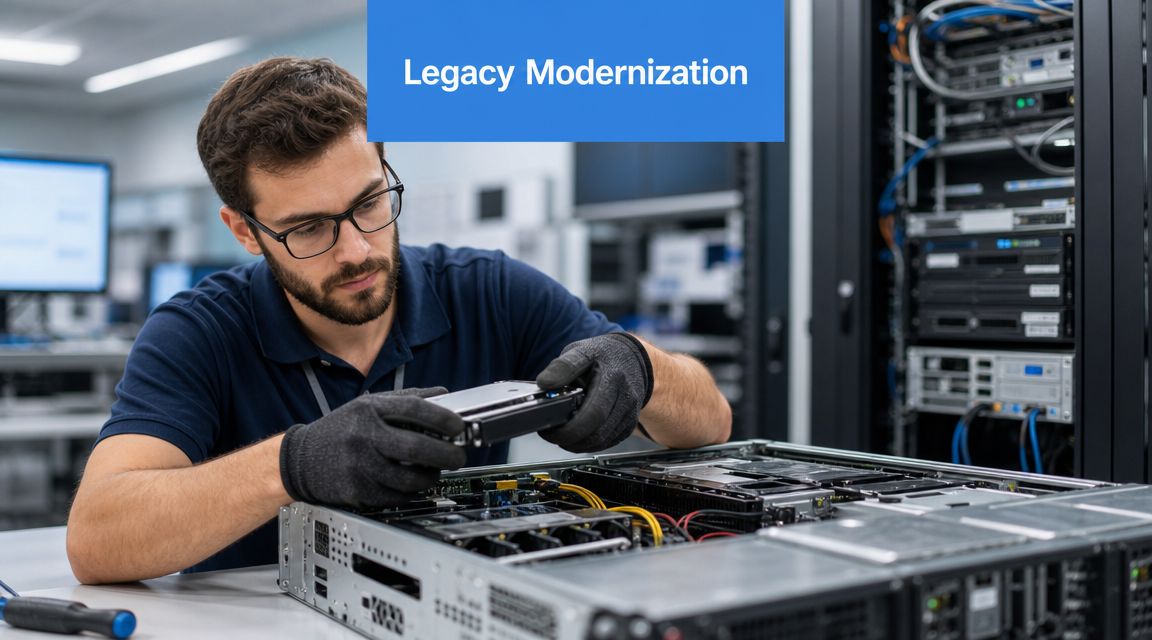
It isn't. Changing between GPT and MBR can require deleting partitions first, which erases data unless specific tools are used. The conversion path itself can be destructive, as noted in this discussion of GPT and MBR conversion risk.
Treat migration like a risk event
Don't position this as a simple format switch. Position it as a controlled change with data-loss potential.
If you're the MSP, your job is to reduce the chance of client pain. If you're the vCISO or GRC advisor, your job is to make sure the process is defensible. Those are the same objective.
Use a migration checklist that reflects that reality:
- Confirm the business reason
Don't convert just because “GPT is newer.” Convert because the client needs modern compatibility, cleaner standardization, or support for current deployment goals. - Verify recovery before touching the disk
A backup that hasn't been tested is a hope, not a control. - Map the boot dependencies
If the system still depends on legacy firmware behavior, the partition change won't solve the larger problem. - Schedule validation after the move
The system has to boot, update, recover, and fit the client's management stack afterward.
Post-migration validation is where trust is won
Too many providers stop early. They get the machine converted, see it boot once, and call the project done.
That's weak delivery. You need to validate security tooling, recovery behavior, endpoint controls, and operational consistency after the change. That includes checking whether your broader client stack still behaves properly, especially if the system sits inside a larger endpoint governance program supported by tools like device management software for modern IT operations.
Migration advice: If the client would care about downtime, evidence, or recoverability, document the pre-change state and the post-change validation like you expect an auditor to read it.
That's also where a post-change penetration test or focused security review becomes a smart billable service. Not because GPT creates security by itself, but because any infrastructure migration can expose assumptions, stale controls, or hidden deployment debt. A manual pentest catches the stuff checklists miss.
Best Practices for MSPs and Final Recommendations
Here's the recommendation. Use GPT for new deployments unless you have a specific, validated legacy reason to stay on MBR.
That's the right call for modern hardware, modern operating systems, and modern service delivery. It gives you better long-term flexibility, cleaner standards, and fewer avoidable problems when clients grow or environments get audited.
The MSP decision checklist
Use this when provisioning or auditing client systems:
- Default to GPT: Make MBR the exception, not the habit.
- Tie the choice to firmware: Match modern builds to current boot standards.
- Document legacy exceptions: If a client must stay on MBR, note why, where, and for how long.
- Protect migrations carefully: Treat conversion as a change event with recovery risk.
- Validate after changes: Don't stop at a successful boot.
- Roll partitioning into security review: It belongs in your broader threat and vulnerability management process.
The bigger security point
Disk partitioning is not your whole security program. It's one part of a stack that has to support compliance, resilience, and client confidence.
That's why smart MSPs don't stop at build standards. They follow with manual validation. A real pen test, pentest, or penetration testing engagement helps confirm that the environment is secure in practice, not just clean on paper.
If you're an MSP, reseller, vCISO, or GRC partner, the value is simple. Build modern. Document clearly. Validate independently. That's how you reduce risk and keep client trust.
If you need a channel-only partner for white label pentesting, we offer pentests delivered under your brand so MSPs, vCISOs, and resellers get affordable, fast, manual pentesting without competing for the client relationship. Our certified pentesters hold OSCP, CEH, and CREST credentials, and we support everything from internal and external penetration testing to web, cloud, mobile, physical, and social engineering engagements. Contact us today to learn more.

.avif)
.png)
.png)
.png)

