
Your client calls on a Monday morning. An employee approved a fake MFA prompt, the attacker got into remote tools, and now everyone wants answers. The client blames weak controls. Their auditor asks hard questions. Your team gets stuck proving what was configured, what was monitored, and what should've been tested before this happened.
That's why remote access security is not just a client IT task. It's an MSP business issue, a vCISO accountability issue, and a reseller opportunity. If you don't own it as a managed service, someone else will.
Why Remote Access Security Is Your Problem
Remote access sits right in the blast zone between convenience and compromise. In 2025, the average cost of a remote work-related breach reached $4.56 million, and 62% of all security breaches exploited weak or stolen remote access credentials. On top of that, phishing emails accounted for 43% of initial breach attempts in remote work contexts, making phishing the most common entry point for these attacks, according to remote work cybersecurity statistics.
For an MSP, that means the client's remote login problem quickly becomes your retention problem. If you manage identity, endpoints, firewalls, VPNs, cloud access, or compliance evidence for SOC 2, HIPAA, PCI DSS, or ISO 27001, you're already tied to the outcome.
What clients actually hear after a breach
They don't hear nuance. They hear that remote access was “set up” but not secured. They hear that MFA existed, but the wrong kind. They hear that unmanaged devices were allowed. They hear that nobody validated the controls with a real penetration test.
Practical rule: If your client can access critical systems remotely, you need a documented service around access design, access monitoring, and validation.
A lot of smaller clients still need help with the basics. If you work with SMBs and want a plain-English example of how to improve remote access security practices, that resource gives useful context without overcomplicating it.
Why this creates revenue, not just risk
Remote access security is one of the easiest places to turn technical work into recurring service. You can package policy, identity controls, device checks, monitoring, incident response prep, risk assessment, and penetration testing into one offer. That's easier to sell than “miscellaneous hardening.”
Clients already know remote work is risky. They need someone to turn that concern into controls they can understand, report on, and defend during compliance reviews.
Choosing Your Remote Access Architecture
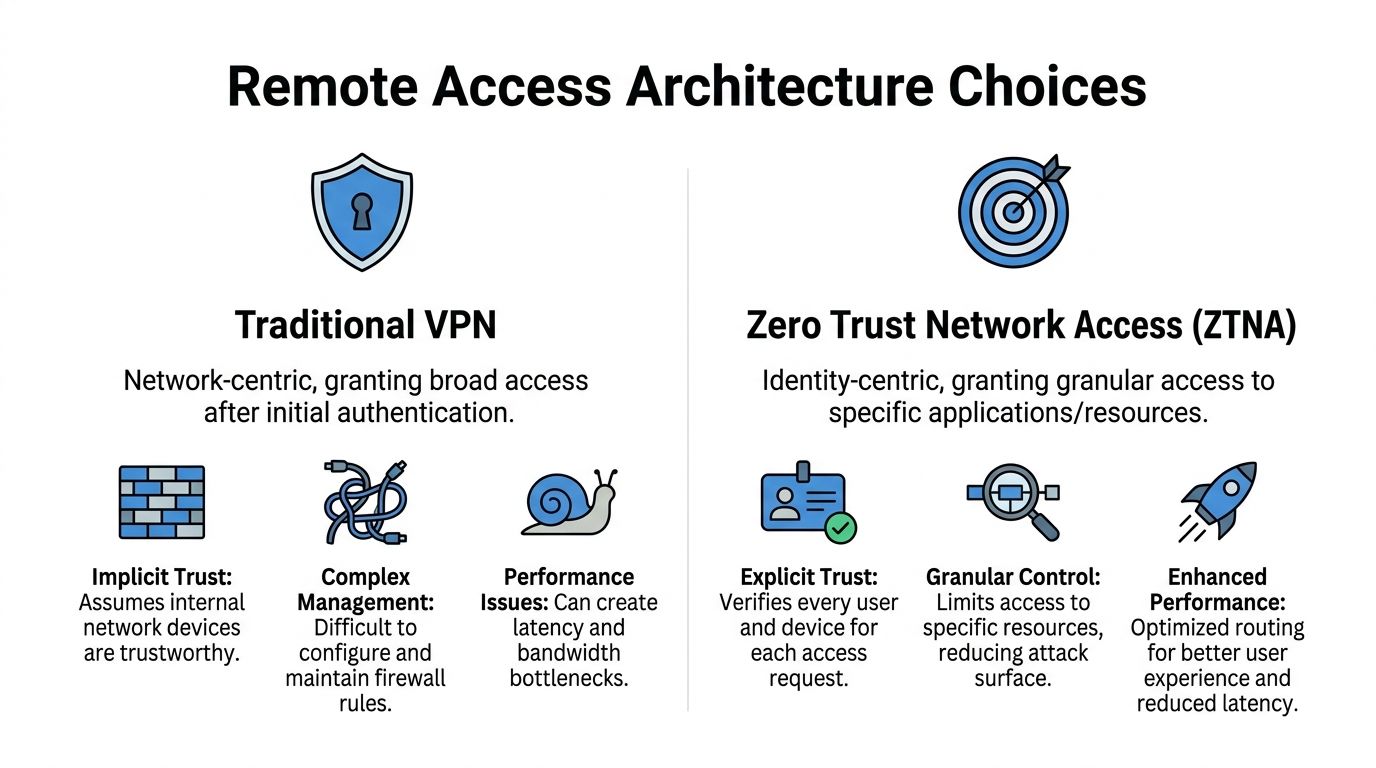
The biggest architecture mistake I still see is treating old VPN design like it's good enough. It isn't. If your service stack still centers on broad network access, you're making your clients harder to defend and your team harder to scale.
Attackers noticed this before many providers did. In 2025, edge and VPN devices represented 22% of all vulnerability exploitation paths in data breaches, nearly 8 times last year's share, according to cybersecurity statistics of 2025. That tells you exactly where the pressure is landing.
VPN vs Zero Trust at a Glance
| Feature | Traditional VPN | Zero Trust (ZTNA) |
|---|---|---|
| Access model | Broad network access after login | Access to specific apps and resources |
| Trust model | Assumes the inside network is safer | Verifies user and device each time |
| Blast radius | Larger if credentials are stolen | Smaller by design |
| User experience | Can create tunnel and routing friction | Usually cleaner for app-level access |
| Administration | Firewall rules and network paths get messy fast | Policy-driven access is easier to standardize |
| MSP service fit | Works, but often creates exceptions | Better for repeatable, high-margin managed service |
How to explain this to clients
A traditional VPN is like handing someone the keys to a building because they need one office. Zero Trust Network Access is more like opening only the room they need, for the time they need it, with identity checks at the door.
That matters in every regulated environment. A vCISO trying to satisfy SOC 2 or ISO 27001 does not want broad inherited access hanging around in the background. A GRC firm wants cleaner evidence. A CPA firm handling sensitive financial data wants tighter scope and easier review.
A remote access architecture should reduce exposure by default, not depend on perfect human behavior.
When VPN still has a place
Some clients still need VPNs for legacy apps, site-to-site connections, or hard-to-replace workflows. Fine. Use them where you must, but stop making them the centerpiece of the service.
If you're comparing tunnel options and need a practical breakdown of protocol tradeoffs, this guide on SSL VPN vs IPsec VPN is worth reviewing before you standardize client deployments.
The business decision is simple. Do you want a remote access service built on broad trust and exceptions, or one built on granular control and repeatability? MSPs that choose the second model are easier to scale and easier to defend.
Implementing Strong Access and Device Controls
Once the architecture is chosen, controls need to be strict. Not “mostly enabled.” Not “turned on for admins.” Strict. If remote access protects critical data, your baseline has to survive phishing, stolen credentials, sloppy endpoints, and compliance review.
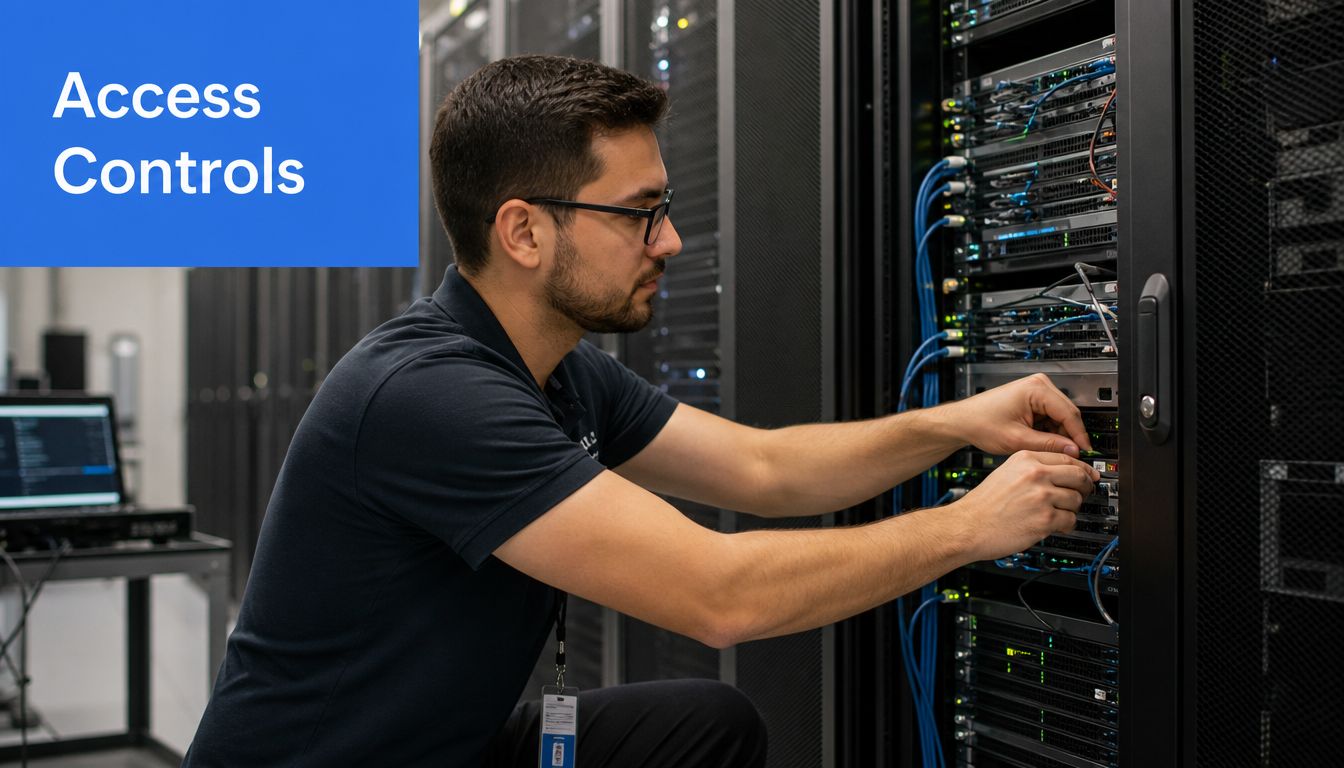
The two controls I push hardest are application-level access for high-value systems and hardware-based phishing-resistant MFA. Replacing network-level VPN access with application-level Zero Trust Network Access for high-value assets reduces lateral movement success by 85%. Enforcing hardware-based, phishing-resistant MFA can reduce initial compromise success rates by 99.9% compared to single-factor methods, based on remote access security best practices.
Controls that should be standard
- Use phishing-resistant MFA: FIDO2 keys or certificate-based authentication should be the standard for privileged users and sensitive apps.
- Kill weak MFA methods: SMS and voice-based MFA are weak links. If you still allow them for high-risk access, fix that.
- Tie access to device posture: If the laptop is unmanaged, outdated, or noncompliant, it shouldn't get the same access as a healthy corporate device.
- Limit sessions hard: Idle timeout, clipboard control, drive redirection restrictions, and admin path review all belong in the design.
- Separate privilege: Help desk staff, vendor users, executives, and admins should not share the same access model.
What this means for compliance work
These aren't “nice to have” controls for PCI DSS, HIPAA, SOC 2, or ISO 27001 discussions. They become evidence. Auditors and clients want to know who had access, why they had it, what device they used, and whether the access was restricted.
That's also why remote access should tie into endpoint management. If you need a refresher on tools and policies that support this layer, review this guide to device management software as part of the service design.
Don't copy generic Zero Trust advice
Remote access gets more complicated in global operations, vendor ecosystems, and regulated environments. This piece on Zero Trust for China's unique challenges is useful because it shows how identity-driven access has to adapt to real operational constraints, not just slide-deck theory.
My advice is blunt. Stop selling “MFA enabled” as if that ends the conversation. Clients pay for outcomes. Build a service that controls identity, device trust, session behavior, and privilege boundaries together.
Setting Up Continuous Monitoring and Response
Remote access security fails without notice when nobody watches the right things. A user logs in from a personal device. A vendor session runs longer than it should. A remote admin tool behaves differently, but nobody correlates it. That's how “configured” turns into “compromised.”
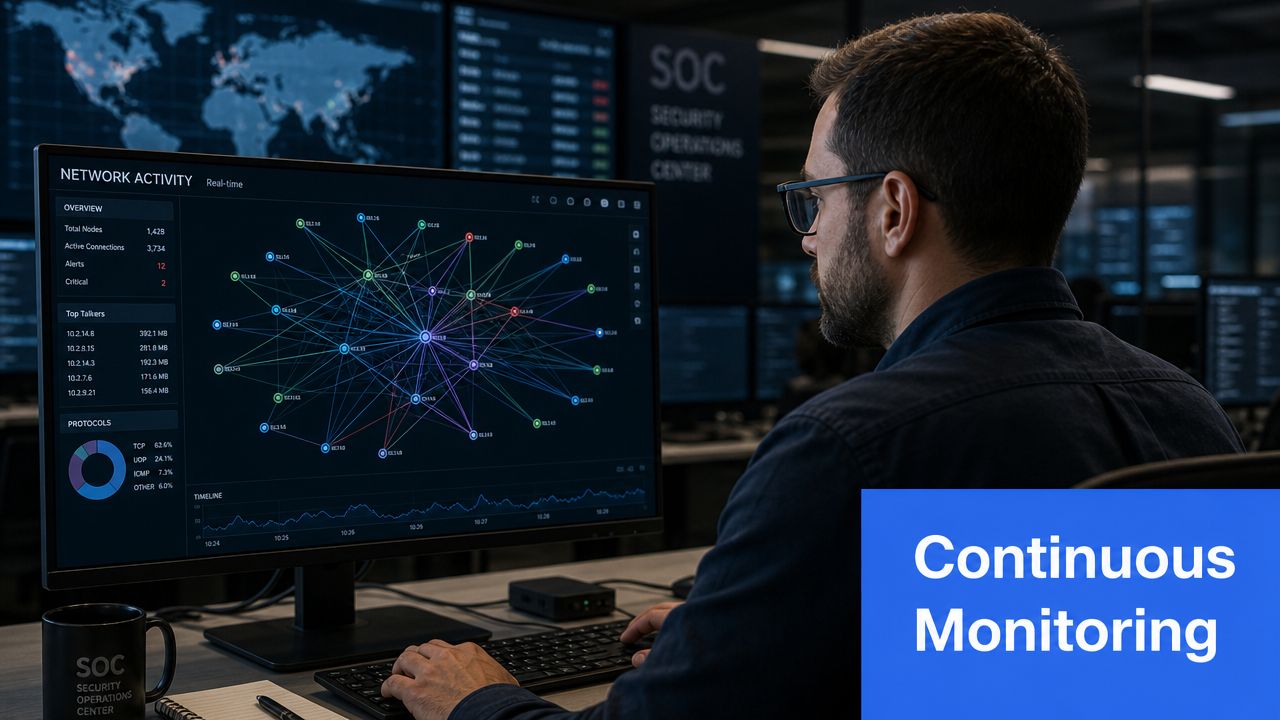
The human risk here is bigger than many MSPs admit. Remote workers are 3 times more likely to accidentally expose data than office employees, contributing to a 58% increase in insider threats. 48% of organizations suffered data breaches from unmanaged personal devices, according to the SANS-linked OT cybersecurity coverage.
What your monitoring service should include
- Identity event review: Failed logins, impossible travel patterns, MFA anomalies, new device enrollments, and privilege changes.
- Session oversight: Track remote admin sessions, vendor access windows, and unusual after-hours connections.
- Endpoint context: Flag unmanaged devices, stale agents, missing security tools, and devices that suddenly start accessing sensitive resources.
- Response playbooks: Document who disables access, who contacts the client, who preserves evidence, and how the event is escalated.
Unmanaged personal devices are not a policy problem first. They're a monitoring problem first, because you can't control what you don't continuously see.
Turn this into recurring value
Here, the MSP, vCISO, and GRC relationship gets stronger. Monitoring gives you evidence for monthly reviews, compliance meetings, and board-level reporting. It also gives you a reason to revisit access policy before the next incident forces the conversation.
Remote access malware also belongs in the conversation. If you support clients that want a simpler explanation of attacker behavior, this overview of remote access trojans helps frame why ongoing monitoring matters after initial hardening is done.
Don't treat alerting like a checkbox. Build a service that assumes people will click, devices will drift, and attackers will test your edges every day.
Validating Security with a Penetration Test
Controls on paper don't prove much. A penetration test does. That's the difference between “we enabled remote access security features” and “we verified whether an attacker could still get in, move around, or abuse trust paths.”
This matters for sales and compliance. Clients pursuing SOC 2, HIPAA, PCI DSS, or ISO 27001 don't just want a vulnerability scan PDF. They want proof that somebody tested real attack paths. They want evidence for their risk assessment. They want findings they can act on.
Why scanning is not enough
A scanner finds known issues. A human tester checks how those issues connect. That includes remote management exposure, access control gaps, weak admin paths, segmentation mistakes, poor least-privilege design, and whether MFA enforcement holds up in practice.
That's why I still recommend manual pentesting when remote access is in scope. The industry keeps pushing cheap automation as if it replaces judgment. It doesn't. Automated tools are useful, and toolkits like Burp Suite support both automated scanning and manual penetration testing for web application work, but remote access validation often depends on human decision-making and chaining findings together.
The market problem MSPs keep running into
Traditional penetration testing is often overpriced, slow, and awkward for channel partners. Manual consultant-led work can be hard to schedule, hard to scale, and frustrating when the client needs answers quickly. That creates a real business gap for the MSP or reseller trying to offer security services under their own brand.
There's also a delivery problem. A one-time report with a long lead time doesn't fit how most managed service firms work. You need repeatable assessments, predictable turnaround, and reporting your team can use in client conversations.
If your pentest offer takes too long, costs too much, or bypasses your client relationship, it's not helping your service business.
What a smart pentesting offer looks like
You want white label pentesting that fits the channel. You want certified testers. You want clear scope. You want the ability to validate remote access controls for cloud, internal, and external exposure without handing the account to someone who might compete with you later.
Affordable pricing matters too. Pricing depends on scope. Request a quote for exact figures. For context on how channel pricing compares with traditional firms, see affordable penetration testing pricing for MSPs.
That pricing changes the conversation. Suddenly a vCISO, GRC advisor, or compliance consultant can attach a real pen test to a client roadmap instead of dropping the idea because the quote is too high.
The business case for white label delivery
A channel-only model is the right fit here. Your client trusts you. The testing partner should strengthen that trust, not interfere with it. MSP Pentesting provides manual pentests, pen testing, and penetration testing for channel partners, including white-labeled delivery, with pentesters holding OSCP, CEH, and CREST certifications.
That setup works because it helps you sell secure remote access as a complete service. You design the controls, monitor the environment, support the compliance story, and back it up with a real pentest from a partner that doesn't compete with your account team.
Become the Security Partner Your Clients Need
Clients don't need another vendor who “also does security.” They need a partner who can own remote access security as a managed service, explain the risk in plain English, and validate the work with real testing.
That's a stronger position for an MSP, a cleaner story for a vCISO, and a practical add-on for any reseller, GRC firm, or compliance advisor. If you want another example of how providers frame protecting your business with managed security, that's a useful reference point for the broader managed service conversation.
Stop leaving remote access as a bundle of tools and hope. Package it. Monitor it. Validate it. Sell it with confidence. And work with partners that stay in the channel and out of your client relationships.
If you want a channel-only partner for affordable, fast, manual pentesting that supports your remote access security offer without competing for your accounts, ask us about external perimeter testing today.

.avif)
.png)
.png)
.png)

