
An MSP usually finds out the hard way that patching was weak. A client is heading into a SOC 2 review, a HIPAA assessment, or a customer security questionnaire. Someone checks the Linux servers that run line-of-business apps, web workloads, or internal services. The boxes are behind on kernel updates, package fixes, or third-party software patches. Now the issue isn't just technical. It's contractual, reputational, and operational.
That's why linux patch management can't sit in the "routine maintenance" bucket. For MSPs, vCISOs, GRC firms, CPAs, and other reseller partners, patching is one of the clearest signals of whether a client's security program is disciplined or reactive. It also shapes how useful a pentest, pen test, or broader penetration testing engagement will be. If systems are stale, the test mostly confirms avoidable hygiene failures. If patching is mature, the test can focus on deeper risk.
Why MSPs Must Master Linux Patch Management
A client signs off on a pentest, expects a useful readout, and gets back a report filled with old Linux package issues that should have been closed months ago. Then the same client walks into a SOC 2 review or security questionnaire and cannot show a consistent remediation process. At that point, patching is no longer a background admin task. It is a direct reflection of your MSP's security discipline.
Linux systems often sit under the services clients care about most. Public web apps, internal tools, databases, backups, and appliances all depend on them. If those hosts fall behind on fixes, the exposure is usually tied to known weaknesses with published remediation steps. Attackers know that. Auditors know that. Clients notice it once findings start piling up.
For MSPs, the business impact is immediate. Weak patch execution creates preventable audit findings, drags down confidence in your security stack, and makes your team look reactive. It also puts pressure on renewals because clients judge managed security by the controls they can see, and patch status is one of the easiest controls to verify.
Practical rule: If a client runs production workloads on Linux, patch management needs defined ownership, change control, maintenance windows, and reporting.
That standard improves more than operations. It strengthens your position as a security partner. A vCISO can point to patch cadence and exception handling as evidence that control owners exist and remediation happens on schedule. An MSP owner can use the same process to show that managed security is producing measurable results, not just tickets and alerts.
It also changes the quality of your white-label pentesting program. When Linux patching is handled well, pentesters spend less time proving old hygiene problems and more time testing segmentation, privilege boundaries, exposed services, identity paths, and application logic. That gives clients better findings, cleaner remediation plans, and a stronger reason to keep using both your managed services and your testing partner.
Strong Linux patch management supports three outcomes clients care about:
- Better compliance readiness: Teams can show repeatable remediation, documented exceptions, and evidence that systems are maintained.
- Stronger client trust: Clients see fewer avoidable findings and get clearer answers when customers, auditors, or insurers ask about vulnerability handling.
- More value from pentesting: Testing focuses on meaningful attack paths instead of stale packages that should have been patched during routine maintenance.
MSPs that treat Linux patching as part of their core security offering usually deliver better audit support, better test results, and fewer unpleasant surprises. That is good for the client. It is also good for retention, margin, and the credibility of every other security service you sell.
Understanding The Full Patching Picture
Linux patch management isn't just running apt or dnf and moving on. It's a continuous process for handling kernel fixes, OS updates, libraries, services, and application dependencies in a way that doesn't break production.
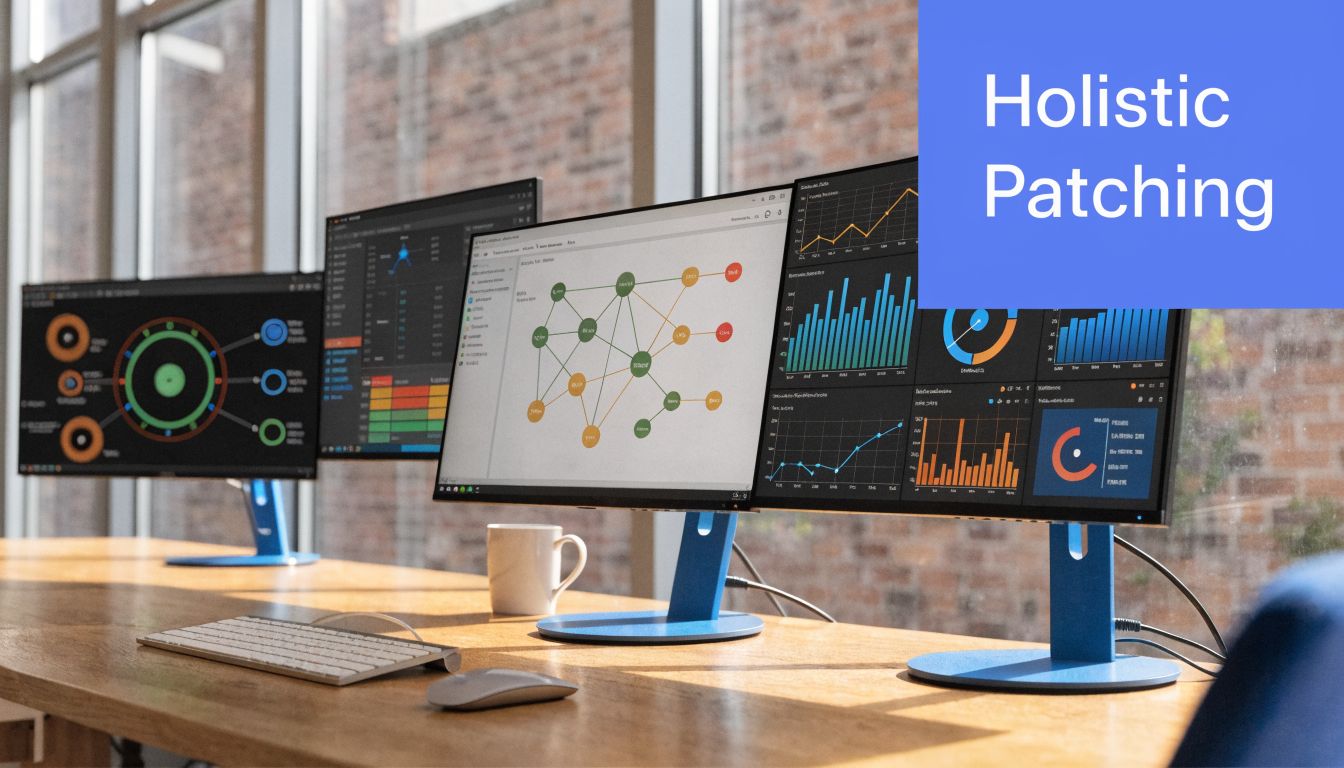
Maintaining a fleet can illustrate this point. A single vehicle schedule is easy. A fleet with different engines, service intervals, and parts suppliers is not. Linux estates work the same way when one client has Ubuntu, another has Debian, and a third has RHEL-family systems plus custom repositories.
Mixed estates create real complexity
That mixed-estate problem is where many MSP patching plans break down. The Action1 guidance on Linux patch management software and use cases points out that patching is not uniform across distributions, and mature teams need to account for different package formats, dependency conflicts, and custom repositories while tying patch decisions to asset criticality.
What works on one Linux distribution may create instability on another. A package dependency issue on a development server is annoying. The same issue on a production authentication service is a major event.
What patching actually includes
A complete program usually covers:
- System inventory: Know which Linux assets exist, what they run, and who owns them.
- Patch source control: Pull updates from trusted vendor or repository sources.
- Testing discipline: Validate changes before broad rollout.
- Deployment control: Use maintenance windows and staged release rings.
- Rollback readiness: Be able to recover when a patch causes instability.
- Verification and reporting: Confirm what succeeded, what failed, and what needs exception handling.
Linux patching gets expensive when teams treat every box the same. The fix is governance, not more panic.
That's the difference between ad hoc updates and a managed process that supports compliance, stability, and client confidence.
Building a Smarter Risk-Based Patching Policy
A "patch everything now" policy sounds responsible. In practice, it usually creates noise, rushed changes, and production risk. Smart MSPs use a risk-based patching policy instead.
Why blanket patching fails
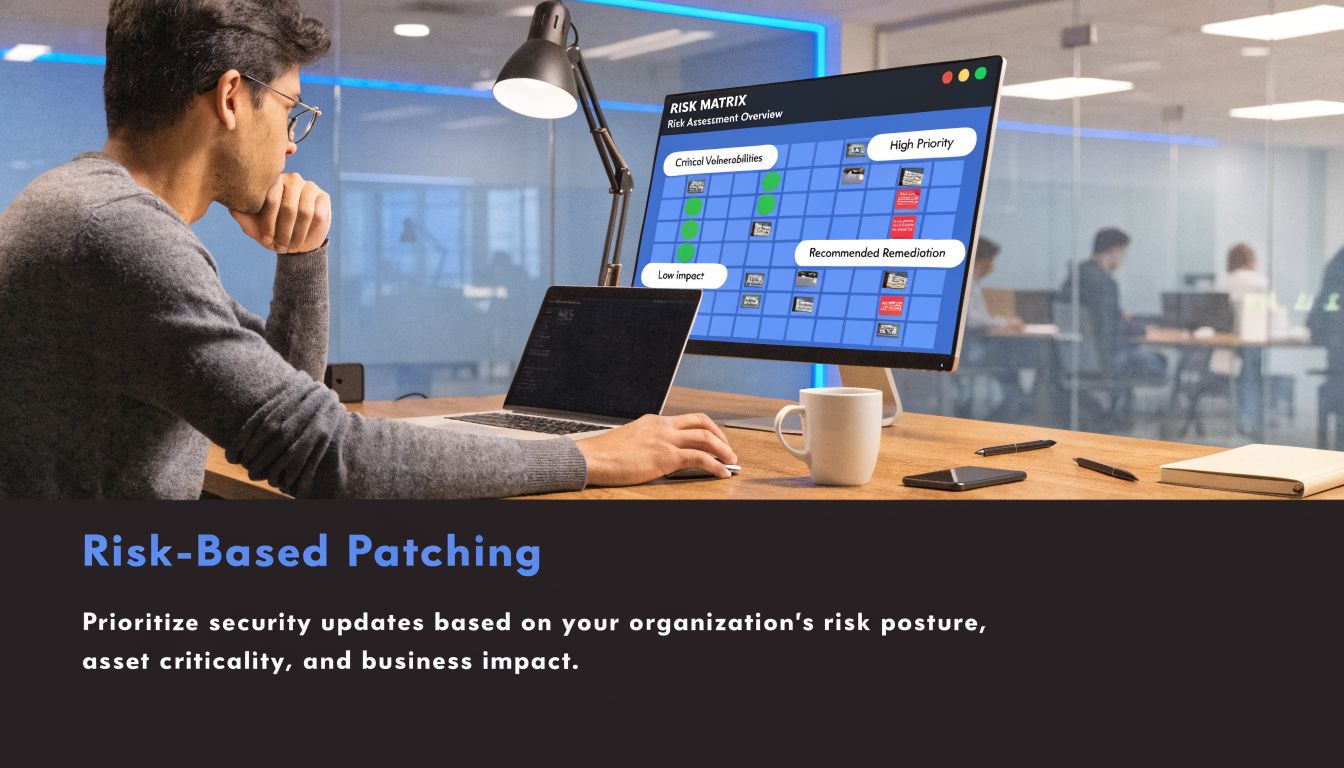
Not every patch has the same urgency, and not every asset has the same business impact. A public-facing Linux server with sensitive data exposure should not wait behind a low-impact internal utility box just because both have updates available.
The scale problem is real. The PatchMon guide to Linux patch management notes that after the Linux kernel team became a CVE Numbering Authority, disclosures grew from about 300 kernel CVEs per year to 3,529 Linux kernel CVEs in 2024. That volume makes it impossible to treat every patch as equal priority, which is why critical fixes are often prioritized within 24 to 48 hours.
What a usable policy looks like
A practical policy combines CVSS-based severity, exploitability context, and asset criticality. It also defines who can approve deferrals and under what conditions.
Use questions like these:
- Is the asset internet-facing
- Does it store regulated data tied to HIPAA, PCI DSS, or SOC 2 controls
- Would downtime hurt operations more than short-term exposure
- Do we have rollback coverage if the patch causes an outage
- Is there an active pentesting or penetration testing finding tied to this issue
A policy like that gives your team something auditors can review. It also aligns well with secure development and change control practices. If you want a good companion read on building upstream discipline, Digital ToolPad's secure SDLC guide is useful because patch chaos often starts with weak release and change processes.
For teams managing remediation workflows, it also helps to define how patch findings connect to broader fixes and exceptions. This guide on remediation of vulnerabilities is a good way to frame that operational handoff.
Decision filter: Patch priority should reflect business impact first, then technical urgency, then scheduling convenience.
That's the kind of policy a vCISO, GRC advisor, or MSP owner can defend in front of clients and auditors.
Implementing The Patch Management Lifecycle
A patching process fails in the same way across a lot of MSP environments. A critical package gets approved late on Friday, someone pushes it straight to production, a dependency breaks on Monday, and the client stops hearing "we're protecting your environment" and starts hearing excuses. That kind of failure hurts more than uptime. It weakens trust, creates audit problems, and makes your security program look reactive.
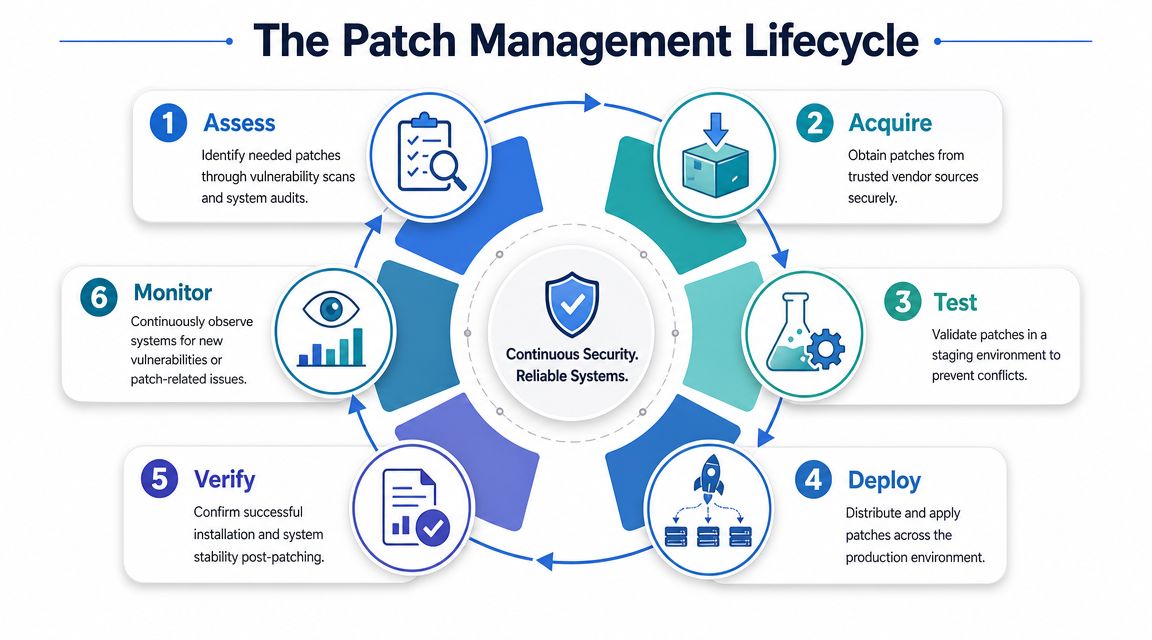
A usable Linux patch lifecycle gives your team a repeatable operating model. It also gives clients evidence that security work is controlled, documented, and tied to business risk.
Assess and acquire correctly
Start with asset reality, not package lists alone. The team needs current inventory, vulnerability scan output, package versions, internet exposure, service owners, and a clear view of which systems support revenue, regulated data, or line-of-business operations.
Then acquire patches from trusted vendor channels and approved repositories. Public repos, mirrored packages, and private package sources all need governance. If your team cannot verify where an update came from, patching creates a supply chain risk instead of reducing one.
This discipline matters upstream too. Teams that build resilient software from the start usually hand off cleaner systems to operations, which makes patch validation faster and exception handling easier.
Test before production
Testing is where mature MSPs protect both security and service delivery. A staging environment should reflect production closely enough to expose dependency issues, startup failures, config drift, and kernel-level surprises before the client sees them.
The Splashtop Linux patch management guidance describes a controlled process that includes vulnerability assessment, patch acquisition, staging, deployment planning, rollback preparation, and verification. It also notes that critical security patches are commonly prioritized within 24 to 48 hours.
That timeline is realistic for high-risk findings. It is not realistic for every patch on every server. Good teams separate emergency fixes from routine maintenance, then document why.
What causes preventable outages is simple. Unvalidated assumptions. A package that looked minor can restart a service, break a library dependency, or change runtime behavior in a client application.
Deploy, verify, and monitor
Deployment should follow an approval path the client understands. Use maintenance windows, release rings, or system groupings based on business impact. Start with lower-risk systems when you can. For high-exposure assets, shorten the cycle and tighten validation.
A practical lifecycle looks like this:
- Assess exposure with scans, package inventory, and asset context
- Acquire safely from approved sources under change control
- Test in staging for compatibility, service behavior, and rollback readiness
- Deploy in waves based on risk, maintenance windows, and client constraints
- Verify results with package checks, service checks, and vulnerability revalidation
- Monitor afterward for failed jobs, missed systems, instability, and exception handling
Automation matters here because manual patching breaks down fast across multi-client environments. As noted earlier, industry reporting shows a clear shift toward automated patch operations. That matches what MSP owners already know from experience. Standardized workflows scale. Technician memory does not.
For providers managing server remediation alongside broader endpoint operations, this guide to device management software for centralized control is a useful companion.
Where live kernel patching fits
For clients with strict uptime requirements, live kernel patching can reduce the pressure to choose between exposure and disruption. The Red Hat patch management best practices article explains that live kernel patching allows administrators to address certain kernel vulnerabilities without an immediate reboot.
Use it with limits. It works best on supported kernels, under centralized tracking, with a scheduled full maintenance cycle still planned. It reduces downtime during urgent remediation, but it does not replace asset inventory, testing, validation, or reporting.
That distinction matters for MSPs offering white-label pentesting services. A client gets more value from a pentest when your patch lifecycle can validate findings, remediate them cleanly, and produce evidence the issue was confirmed closed.
Connecting Patching to Pentesting and Compliance
A client passes a penetration test in one quarter, then fails an audit in the next because the Linux findings were never fully remediated, retested, and documented. I see that pattern too often. The problem is rarely the pentest itself. The problem is the gap between finding a vulnerability and proving it was handled in a controlled way.
Patching and pentesting need to operate as one workflow. A vulnerability scan, pen test, or full penetration test identifies weak packages, exposed services, missing fixes, and insecure configurations. Linux patch management is how your team turns that technical finding into reduced risk, cleaner audit evidence, and a stronger client story.

A pentest report should trigger action
When a pentester finds outdated Linux packages, vulnerable kernels, or internet-facing services with known issues, the report should start a remediation process with clear ownership and deadlines. Screenshots do not protect the client. Closed findings do.
For MSPs running white-label pentesting services, delivery quality is keenly observed. If your team can validate the finding, map it to the affected systems, push tested patches through change control, and confirm the issue is gone, the client sees a complete security program instead of a disconnected set of services. That improves retention and gives your pentesting partner more room to test deeper controls instead of rediscovering old patch debt.
A disciplined patch process also improves the next engagement. Fewer routine Linux findings means less time spent documenting known problems and more time spent identifying meaningful weaknesses in segmentation, identity, application logic, and operational controls.
A strong patch program turns a pentest into a measure of security maturity, not a repeat inventory of overdue fixes.
Why compliance teams care
Auditors and client security teams want evidence that identified vulnerabilities move through a defined remediation process. They expect prioritization, approvals, testing records, deployment status, exceptions, and proof that the risk was reduced. If your Linux patching process is inconsistent, compliance work slows down and your recommendations get harder to defend.
That matters across SOC 2, HIPAA, PCI DSS, and ISO 27001 reviews. Linux systems often support authentication, logging, line-of-business applications, and client data processing. Weak patch governance on those systems can create findings that spread into change management, vulnerability management, and access control discussions. If you are preparing clients for attestations, this overview of SOC 2 audit requirements gives useful context for where patch evidence shows up.
There is also a software-side benefit. Teams that build resilient software from the start create fewer avoidable patch emergencies later because secure design and testing reduce the number of preventable flaws reaching production.
Why third-party validation matters
MSPs and vCISOs often need independent confirmation that patching work reduced exposure. A well-scoped penetration test helps verify that delayed fixes, failed deployments, and approved exceptions did not leave an open attack path behind.
That validation carries business weight. It gives clients defensible evidence for boards, customers, insurers, and auditors. It also makes your own security program easier to sell because you are not asking the client to trust patch completion alone. You are showing them that remediation held up under external testing.
Reporting and Proving Your Security Value
If you can't report patching clearly, clients will assume it's not under control. Reporting is how you turn technical work into business value.
What to track for clients
You don't need a massive dashboard to prove maturity. You need a short set of metrics and status views that clients can understand and your team can defend.
Track items like these:
- Critical patch aging: Which critical items are still open, and why
- Patch success status: Which systems patched cleanly and which failed
- Exception inventory: What was deferred, who approved it, and when it gets reviewed
- Verification evidence: Post-patch validation results and service checks
- Environment coverage: Which Linux assets are inside the process and which are still unmanaged
How to make reports useful
A good report answers four simple questions:
| Question | What the client needs to see |
|---|---|
| What was at risk | A brief summary of the affected systems or services |
| What did you do | Patch actions, testing steps, and deployment status |
| What remains open | Deferred items, failed jobs, or systems awaiting maintenance |
| What's the impact | Reduced exposure, better audit readiness, and next actions |
Reporting tip: Don't send raw tool output and call it a security update. Translate the work into risk, remediation status, and business impact.
The ability to generate clean patching reports distinguishes MSPs from basic IT providers. A clean patching report helps a GRC team map evidence to controls. It helps a vCISO explain risk to leadership. It helps a CPA or compliance advisor show that technical remediation supports the client's broader audit posture.
The MSP that can patch, verify, document, and explain the outcome usually keeps the client longer.
If you want a channel-only partner to help validate your clients' security posture, we deliver pentests under your brand and support MSPs, vCISOs, GRC firms, and resellers with white label pentesting, affordable and manual pentesting, and fast turnaround from OSCP, CEH, and CREST certified pentesters. That gives you a practical way to pair strong linux patch management with independent validation for SOC 2, HIPAA, PCI DSS, and other compliance goals. Contact us today to learn more.
%20(1).png)
.avif)
.png)
.png)
.png)

