
A client asks for a risk assessment, a pen test, or proof for SOC 2. Your team can patch servers, update firewalls, and run scans, but that doesn't answer the core question: are they genuinely secure?
That gap costs MSPs business every day. If you can't offer a structured security process, clients look for someone who can. Worse, they may keep you for help desk and infrastructure work, then bring in another provider for penetration testing, compliance, and security validation.
Your Clients Need More Than Just Patching
Reactive patching isn't a service strategy. It's cleanup.
Clients now expect more than "we applied updates." They want a repeatable process that shows how you find weaknesses, rank them, fix them, verify them, and document the result. That's the difference between basic IT support and a real vulnerability management life cycle.
For an MSP, vCISO, GRC advisor, CPA firm with compliance clients, or any IT reseller, this matters for two reasons. First, it protects your clients. Second, it protects your account base. If a client asks for a penetration test tied to HIPAA, PCI DSS, SOC 2, or ISO 27001, and you don't have an answer, you're handing that relationship to somebody else.
A lot of providers still confuse patching with policy. They aren't the same. A patch management plan matters, but it only covers one slice of the problem. This guide on patch management policies for MSPs is useful if you're tightening your operational side, but policy alone won't prove a system is secure.
Practical rule: If your client only gets scanner output and patch tickets, you aren't running a full vulnerability program. You're running maintenance.
The smarter move is to package a lifecycle. That gives you a professional framework for compliance, a cleaner story for client reviews, and a service you can resell without building a massive internal security team.
Understanding the Six Lifecycle Stages
Think of the vulnerability management life cycle like routine healthcare. Regular checkups catch problems early. Waiting until something breaks usually means more cost, more stress, and more damage.
That matters because the backlog keeps getting worse. In 2024, published CVEs passed over 40,000 new entries, a 38% surge compared to 2023, according to Palo Alto Networks' overview of the vulnerability management lifecycle. If you're still treating vulnerability management as a once-a-quarter patch sprint, you're already behind.
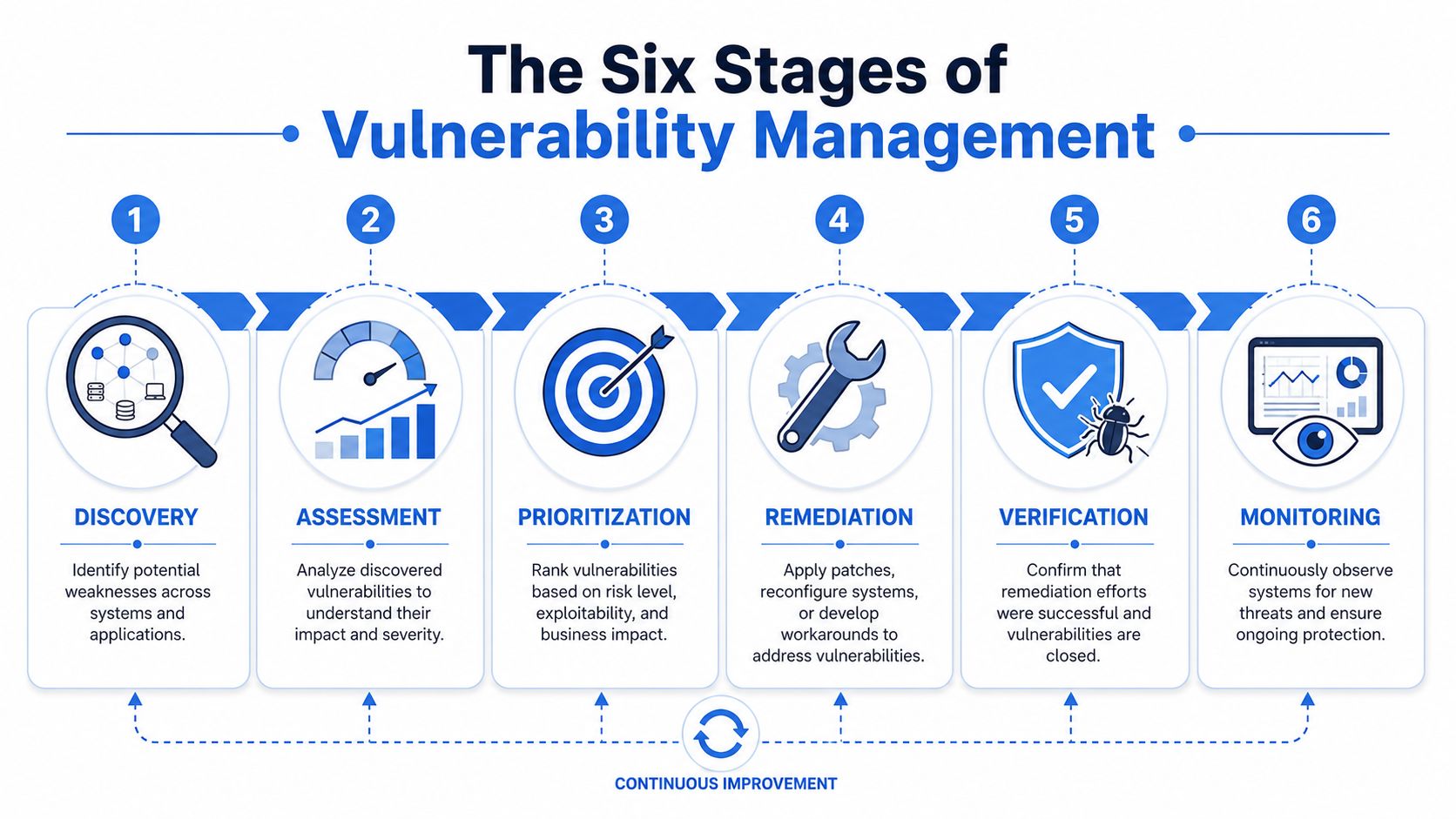
Discovery Finds What You Actually Own
You can't protect assets you don't know exist. Discovery means building and maintaining an inventory across endpoints, servers, cloud workloads, web apps, mobile apps, and third-party software.
For MSPs, hidden risk originates here. Shadow IT, forgotten admin portals, test environments, and unmanaged cloud resources all show up here. If discovery is weak, every later stage is weak too.
Assessment Tells You What Matters
Assessment takes raw findings from tools and turns them into usable security information. That includes severity, exposure, and likely impact.
A scanner helps, but context matters more than noise. A high-severity finding on an isolated lab device isn't the same as a moderate issue on a public client portal handling regulated data.
Prioritization Forces Real Decisions
No team fixes everything at once. Good prioritization ranks issues based on CVSS, exploitability, asset value, compliance pressure, and business impact.
A long vulnerability list isn't a strategy. A ranked list tied to business risk is.
This stage is where many providers fail because they treat all critical findings the same. They aren't. Internet-facing assets, privileged systems, and compliance-scoped environments need faster action than low-value internal systems.
Remediation Reduces Exposure
Remediation is the part everyone knows. You patch software, remove risky services, change configurations, isolate systems, or add compensating controls when no patch exists.
Sometimes that means vendor updates. Sometimes it means changing firewall rules, tightening access, or redesigning part of an application. Security teams that only know how to patch end up stuck when the vendor doesn't have a clean fix.
Verification Proves the Fix Worked
This stage is where weak programs fall apart. A patch ticket closed in your PSA doesn't prove the issue is gone.
Verification means rescanning, retesting, and confirming the actual risk is reduced. In cloud and hybrid environments, that often requires a human to validate controls, not just a tool to rerun a signature check.
Reporting Keeps Clients and Auditors Calm
Reporting isn't busywork. It's how you show value to clients, auditors, and leadership.
A useful report explains what was found, what was fixed, what still needs attention, and what the business should do next. For SOC 2, HIPAA, PCI DSS, and ISO 27001, that paper trail matters almost as much as the technical work.
How to Prioritize Vulnerabilities for Clients
Most MSPs overtrust the score and underweight the setting. That's a mistake.
CVSS is useful because it gives teams a shared severity scale from 0 to 10, with 10 as the most critical, as explained in Pathlock's discussion of vulnerability prioritization. But if you rank work by score alone, you'll burn time on the wrong systems and leave real exposure sitting in plain view.
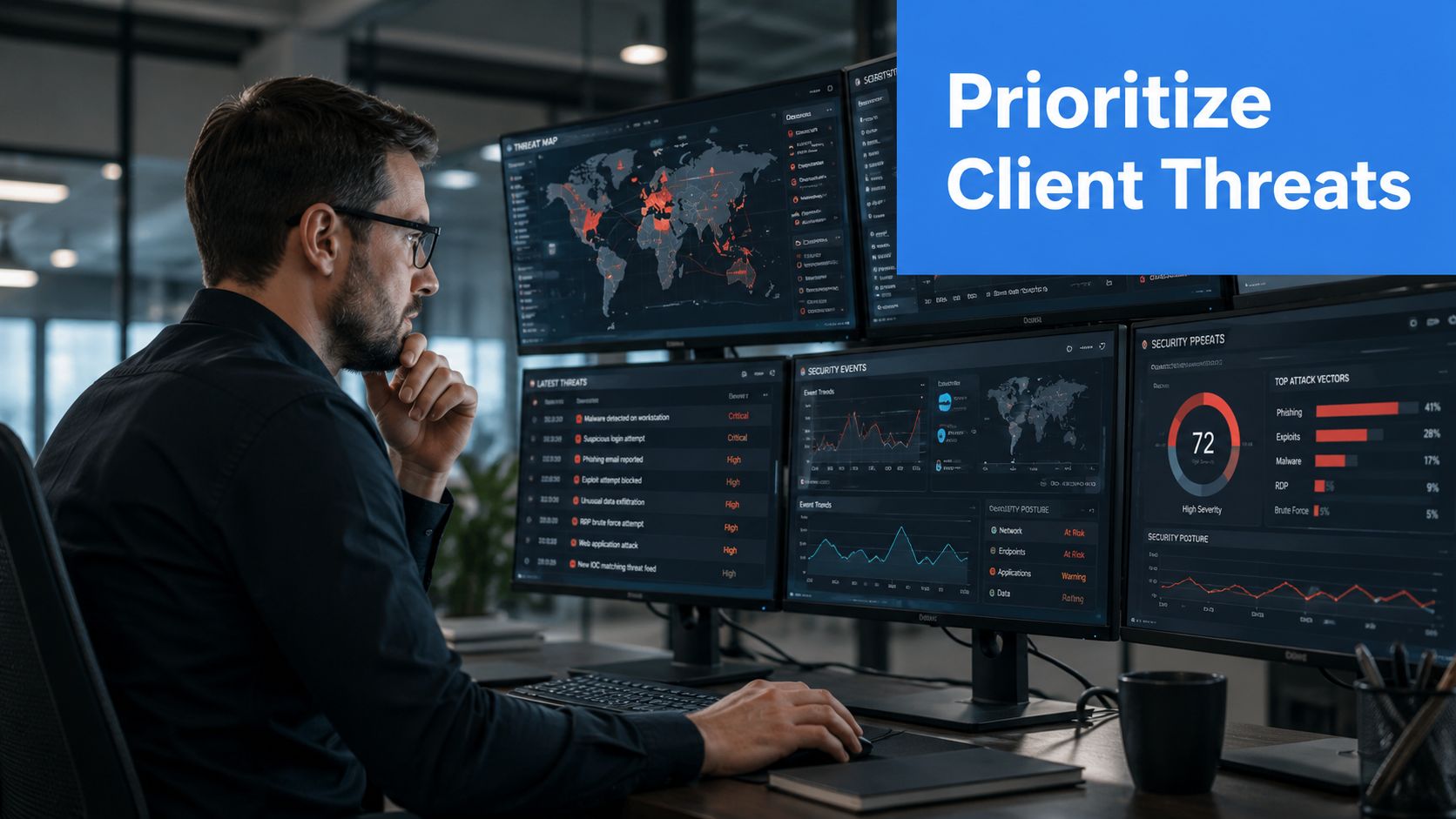
Why CVSS Alone Fails MSPs
Your clients don't all carry the same risk. One client may treat a portal as non-critical. Another may use that same kind of portal to serve regulated records, payment workflows, or vendor access.
A 2025 Gartner study cited by Wiz says 72% of MSPs delay remediation on low-risk assets to meet tight client deadlines, which increases exposure to 0-day exploits. That tension is real in shared environments, where an asset may look low-risk for one client but create serious impact if it becomes a pivot point into a broader network.
A Better Client Prioritization Model
Use a simple decision stack instead of chasing scanner severity alone:
- Exposure first: Public-facing assets, remote access systems, cloud control planes, and email-connected applications go to the top.
- Business importance next: Ask what breaks revenue, operations, or regulated workflows if the asset is hit.
- Compliance pressure: If the issue affects SOC 2, HIPAA, PCI DSS, or ISO 27001 scope, move it up.
- Shared environment risk: In an MSP model, one weak point can become a client-wide problem.
- Threat awareness: If a flaw is actively exploited, stop debating and move.
Client-facing advice: Prioritization should answer one question first. "What could hurt this client's business fastest if an attacker used it today?"
What Good Prioritization Looks Like
A useful prioritization review for a vCISO or GRC team should be short and blunt. Which assets are exposed, which findings are exploitable, which ones affect compliance, and who owns remediation.
That's also where a strong risk assessment beats a giant spreadsheet. Clients don't want 300 findings with no order. They want a list they can act on.
Why Manual Pentesting Is Critical for Verification
Verification is where scanners hit a wall.
A scanner is good at spotting signatures, versions, and obvious weaknesses. It is not good at thinking like an attacker. It won't reliably test business logic, chained exploits, lateral movement, weak trust relationships, or the actual impact of a compensating control.
That's a serious issue because many teams stop too early. A 2025 BitSight report on vulnerability management found that 63% of organizations verify fixes via automated scans alone. The same report says traditional scanners miss 40% of misconfigurations that only manual red teaming can expose in multi-cloud infrastructures.
What Manual Pentesting Catches
A real pentest, pen test, or penetration test puts a certified human in the loop. That person checks whether the fix works in practice, not just whether the scanner stopped complaining.
Manual penetration testing can uncover things automation often misses:
- Access path abuse: A tester may combine small weaknesses to reach sensitive systems.
- Cloud mistakes: IAM gaps, exposed storage, and risky trust relationships often need human review.
- Compensating controls: A firewall rule may look fine on paper but fail under realistic attack paths.
- Application logic flaws: Workflow abuse, broken authorization, and privilege escalation often require manual exploration.
Why Certifications Matter
If you're reselling security, don't hand your client to random freelancers with a scanner and a PDF template. Use people with recognized credentials like OSCP, CEH, and CREST who know how to validate real attack paths and explain findings clearly.
If you're expanding your own bench or trying to understand the hiring market, this guide to recruiting compliance penetration testers is a practical reference point. It helps frame what regulated clients expect when they ask for testers who can speak both security and compliance.
Automated scans tell you something changed. Manual pentesting tells you whether the risk is gone.
This matters even more when clients ask about the difference between scanning and real validation. A useful explanation is to compare scanner output with adversarial testing, like this article on penetration testing and vulnerability assessment. The short version is simple. Scanning finds. Manual pentesting verifies.
For MSPs, that's also the service gap worth reselling. Clients need proof. Manual pentesting provides it in a form they can use for security decisions and compliance reviews.
A Reseller Workflow for White Label Pentesting
Most MSP owners assume reselling a pentest will be slow, messy, or risky for the client relationship. It doesn't have to be.
The cleanest model is a white label pentesting workflow where you control the account, scope the engagement, and deliver the final output under your brand. Your client sees a stronger security offering. You keep the relationship.
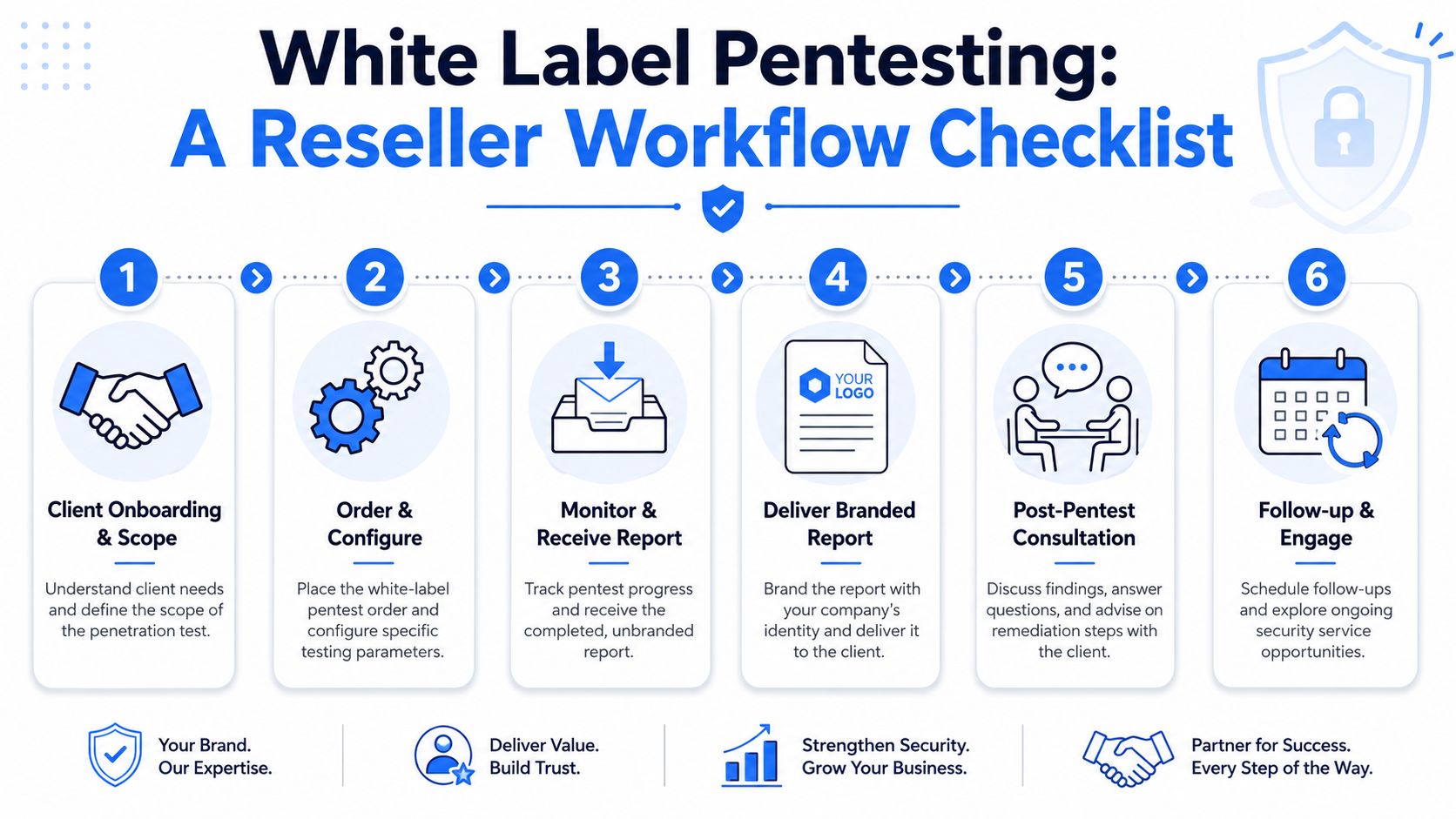
The Practical Reseller Flow
- Qualify the client need
Is this for SOC 2, HIPAA, PCI DSS, cyber insurance, a board request, or a general risk review? Scope starts with the business reason, not the tool list. - Define the test clearly
External network, internal network, web app, cloud, mobile, social engineering, or a broader red team exercise. If the scope is fuzzy, the report will be weak. - Get a fast quote and lock dates
Speed matters. Long lead times kill momentum and send clients to competitors. - Confirm rules of engagement
Set test windows, contacts, exclusions, success criteria, and reporting expectations before work starts.
How To Keep Control of the Account
The best white-label process is quiet and predictable:
- You own communication: The client hears from you, not a competing security vendor.
- You set expectations: Timelines, deliverables, retest options, and remediation follow-up stay inside your process.
- You brand the outcome: Final reporting supports your position as the trusted advisor.
- You turn findings into recurring work: Roadmaps, remediation projects, compliance prep, and annual testing all come after the first engagement.
A strong starting point for structuring that offer is white-label penetration testing for MSPs. It maps well to a reseller model where speed, margin, and client trust matter just as much as technical quality.
What To Sell After the Pentest
Don't stop at the report. Use the engagement to open longer-term services such as remediation planning, recurring risk assessment, control validation, and ongoing compliance support for GRC clients.
That turns a one-time pen testing request into a repeatable security line of business.
Start Building Your Vulnerability Management Service
If you're still treating vulnerability work like patch tickets and occasional scans, you're leaving clients exposed and revenue on the table. A structured vulnerability management life cycle gives your team a repeatable way to discover, assess, prioritize, remediate, verify, and report real risk.
For MSPs, vCISOs, CPAs, and other resellers, the missing piece is usually verification. That's where manual pentesting, penetration testing, and a clean white-label model create real value. You don't need bloated pricing, weak methodology, or long lead times to offer a serious security service.
If you want another market-level example of how firms package security support for end clients, this article on managed security services for Essex businesses shows how security conversations are already moving toward broader managed offerings.
The firms that win will be the ones that can prove security work was done, validated, and explained clearly.
MSPs, vCISOs, GRC firms, and IT resellers that need affordable, fast, manual pentesting can start with our risk assessment service and add white-labeled pen test, penetration test, and penetration testing services delivered by certified OSCP, CEH, and CREST pentesters. We stay channel-only, never compete with partners, and help you deliver stronger security and compliance outcomes under your own brand. Contact us today to learn more.

.avif)
.png)
.png)
.png)

