
You're probably dealing with this right now. A client orders new laptops, your tech starts setup, and “add machine to domain” gets treated like a routine checkbox.
That mindset is where good MSPs drift into avoidable risk.
A domain join is not just a setup task. It's the moment a device gets trusted by the client's identity system, inherits policy, and gains a path to business data. If that join process is sloppy, you're not just creating support debt. You're creating exposure that can show up later in a risk assessment, a SOC 2 review, a HIPAA conversation, or a manual pentest.
Why Every Domain Join Is a Security Event
A new laptop arrives. Your technician unboxes it, gets through Windows setup, signs in with an admin account, and joins it to the client domain. The user gets email, file share access, and line-of-business apps by lunch.
That sounds normal because it is normal. It's also one of the most important trust decisions in the whole endpoint lifecycle.
Microsoft's documented domain-join process requires credentials and a restart, and the join can be performed through Settings, Control Panel, or command-line tools such as netdom join in the standard Windows workflow for enterprise environments, as shown in Microsoft's guidance on joining a computer to a domain. That matters because the join event is the gate into centralized identity, policy enforcement, and access control.
Routine work can create long-term problems
The danger isn't the click path. The danger is what MSPs skip around the click path.
If a technician joins a machine with overprivileged credentials, leaves the computer object in the wrong place, or treats post-join hardening as optional, that device can become a weak point attackers use for lateral movement. Automated tools often catch missing patches and open services. They're less reliable at catching bad operational habits and weak delegated permissions.
Practical rule: If adding a device to Active Directory changes trust, access, and policy, treat it like a security change, not a help desk task.
A solid domain join process also gives you a cleaner security story for clients. It shows that your team doesn't just “make things work.” You control how endpoints enter the environment, who can create them, and how they get locked down from day one.
That's why this task belongs in the same conversation as an Active Directory audit. If your join process is messy, the rest of your AD security usually is too.
Essential Prerequisites Before Joining Any Machine
A technician gets on a client call to join a new laptop, the clock is running, and the device refuses to join the domain. The fix usually is not obscure. It is poor preparation. DNS points to the wrong server, the machine is on the wrong network, the workstation edition cannot join, or the tech reaches for a powerful account to force the issue.
That is how routine onboarding turns into avoidable risk.
If you want domain joins to be fast, secure, and defensible during a client review or penetration test, set the prerequisites before anyone opens the join prompt.
Verify the environment first
Start with the conditions that make a join possible.
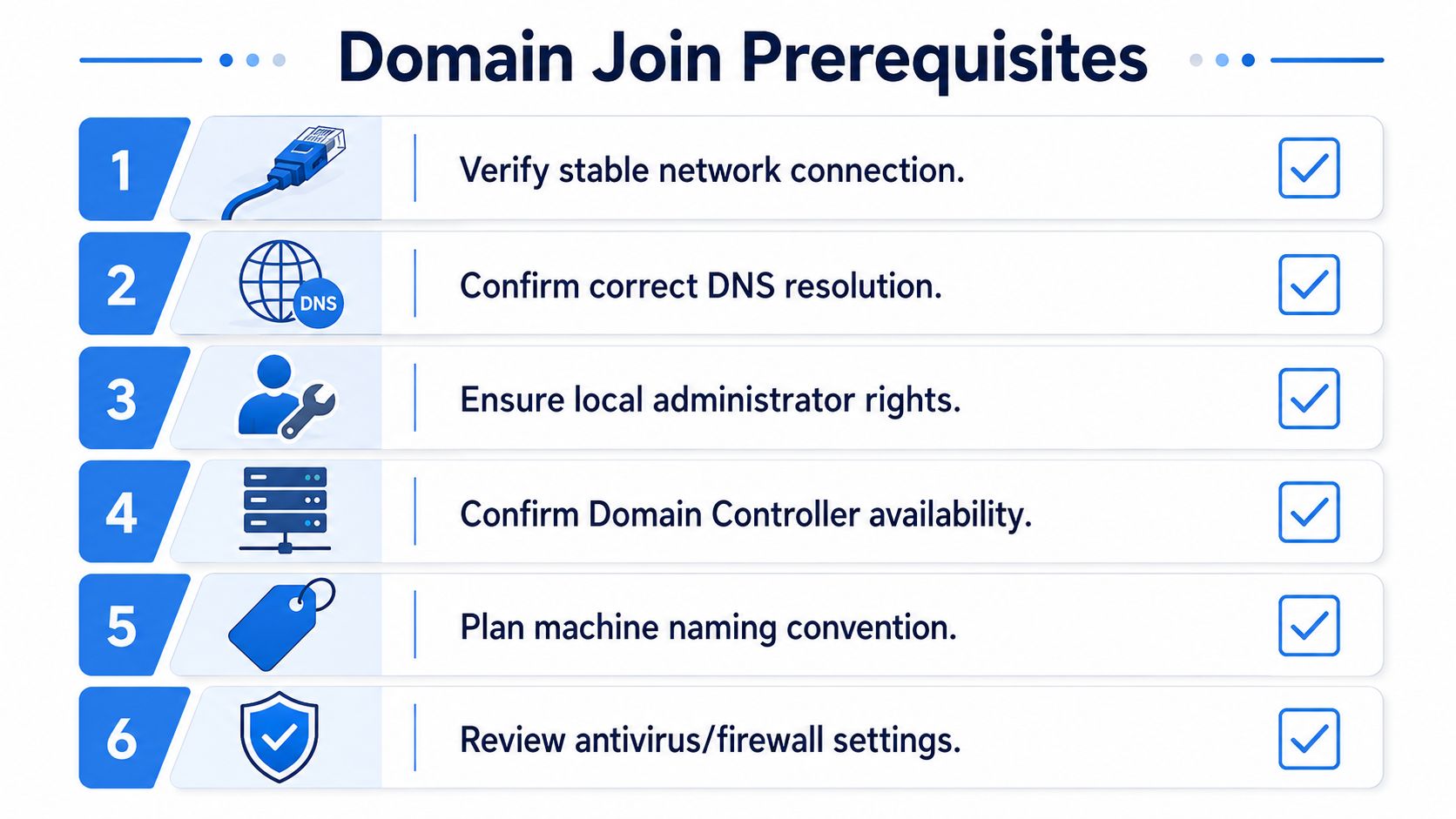
The workstation must be on the correct network or approved VPN path, able to resolve the domain through the client's AD DNS, and able to reach a domain controller without firewall interference. If those checks fail, stop there. Do not burn time testing credentials against a broken path.
Confirm the Windows edition too. Home editions do not support joining a traditional Active Directory domain. Catching that before deployment saves a truck roll, a rushed upgrade, and an uncomfortable client conversation.
Use a simple pre-flight standard:
- Network path: Confirm the machine is on the expected LAN, VLAN, or VPN context.
- DNS configuration: Point the client to DNS servers that can resolve the AD environment correctly.
- DC reachability: Verify the device can contact a domain controller over the required services and ports.
- OS suitability: Confirm the endpoint is running an edition that supports domain join.
This is basic work. It also protects margin. Every failed join burns technician time and trains staff to accept shortcuts.
Use a dedicated join account, not broad admin rights
Joining a machine to the domain does not justify using Domain Admin.
Use a dedicated account with only the rights required to create the computer object in the correct OU. Compass Security lays out the right model in its domain join hardening guidance. Set ms-DS-MachineAccountQuota to 0 and delegate only the permissions needed for approved joins.
That change closes a common abuse path and gives you an audit trail your client can effectively use. It also proves your team treats endpoint onboarding as controlled access management, not convenience-driven administration.
Decide where the machine belongs before the reboot
A secure join starts with a destination.
Set the hostname before the join. Decide the target OU in advance. Make sure your documentation, RMM records, and client naming standards match the device you are onboarding. If your service desk and identity workflows depend on synchronized user and asset data, plan that at the same time. Resources on Freshservice Active Directory integration can help align SSO, user sync, and support operations before the endpoint enters production.
The same rule applies to management tooling. Domain join should fit into your broader device management software strategy, not sit outside it as a one-off task.
MSPs that standardize these prerequisites reduce failed joins, reduce credential misuse, and give clients a cleaner security story. That is the core value. You are not just connecting a machine to Active Directory. You are controlling how trusted endpoints enter the environment.
How to Add a Machine to a Domain Securely
A technician joins a new workstation in five minutes, hands it to the client, and marks the ticket complete. Two days later, the device still sits in the wrong container, missed baseline policy, and never picked up the client's expected restrictions. The machine was added to the domain. It was not onboarded securely.
That distinction matters to MSPs. A domain join creates a trusted identity inside the client environment. If you treat it like a routine desktop task, you create policy gaps, weak auditing, and avoidable exposure. If you standardize it, you give clients a cleaner control story, stronger compliance evidence, and a process your team can defend during a penetration test.

Use the Windows GUI for controlled one-off joins
The GUI is acceptable for a single machine when the technician follows a fixed process.
Open the device system settings, select the option to join a domain, enter the domain name, provide the approved delegated credentials, and restart when prompted. Then verify where the computer account landed. If it drops into the default Computers container instead of the intended OU, correct it immediately so the right policies and delegation model apply.
Do not leave OU placement as cleanup work for later. That is how devices miss security baselines and drift outside the client standard.
PowerShell is the right default for MSP workflows
Use PowerShell for repeatable onboarding. It is easier to document, easier to review, and easier to keep consistent across technicians and clients.
A common pattern looks like this:
Add-Computer -DomainName "clientdomain.local" -Credential "CLIENT\JoinAccount" -OUPath "OU=Workstations,DC=clientdomain,DC=local" -Restart
That approach improves operations in ways clients care about:
- Consistent execution: technicians follow one approved method instead of improvising
- Tighter privilege control: a delegated join account fits least-privilege administration
- Better auditability: scripts are easier to review than tribal knowledge
- Cleaner staging: you can add the join to imaging or deployment tasks without exposing broad admin rights
You can also pause before reboot if your process includes a quick verification step.
Add-Computer -DomainName "clientdomain.local" -Credential "CLIENT\JoinAccount" -OUPath "OU=Workstations,DC=clientdomain,DC=local"
Restart-Computer
If you need local settings to hold the line before domain policy finishes applying, set them deliberately and document the exception. A short baseline through the Local Group Policy Editor for pre-join and fallback controls can reduce risk during staging and first boot.
Netdom still fits some legacy processes
netdom join remains usable in older onboarding scripts and legacy Windows environments. Keep it only if the process is documented, approved, and tied to delegated credentials.
Example:
netdom join %computername% /domain:clientdomain.local /userd:CLIENT\JoinAccount /passwordd:*
shutdown /r /t 0
The command is not the actual risk. Bad privilege design is. An old script that uses broad rights is still a bad script.
Handle mixed environments with separate standards
Some clients need AD integration beyond Windows endpoints. Treat Linux joins as a separate controlled workflow, not an informal extension of your Windows process.
A practical Linux standard usually includes these steps:
- Install
realmd,sssd, and the required Kerberos or Samba dependencies - Discover the domain and confirm the host can resolve the AD environment correctly
- Join with a delegated account instead of a broad administrative credential
- Test identity lookup and access controls before the system is put into use
Keep the standard clear. Mixed environments fail when technicians copy Windows assumptions into Linux identity work.
Build the procedure around placement and verification
The join method matters less than the control around it. Every secure domain join process should answer four questions before the ticket closes:
- Did the machine account get created in the intended OU?
- Did the device restart and authenticate correctly against the domain?
- Did the endpoint receive the expected identity and management settings?
- Did the technician record enough evidence to prove the join was done correctly?
Here is the practical difference between common join methods:
MethodBest useFailure that creates riskGUI joinSingle-device onboardingComputer object lands in the wrong container and stays therePowerShell joinStandard MSP deployment processWeak script design spreads the same mistake at scaleNetdom joinLegacy automationOutdated privilege decisions remain hidden in old scripts
That is the primary MSP opportunity. Domain join is not just a setup task. It is a controlled entry point into the client's trust boundary. Run it that way, document it that way, and you turn a routine admin action into a security service clients can see, auditors can follow, and penetration testers can verify.
Security Hardening After the Domain Join
If your technician stops working after the reboot, the job isn't done.
Joining a machine to Active Directory gives the device identity and policy potential. Hardening is what turns that potential into actual protection. Through hardening, an MSP proves it understands security, not just administration.
Verify that controls actually applied
Start with proof, not assumptions.
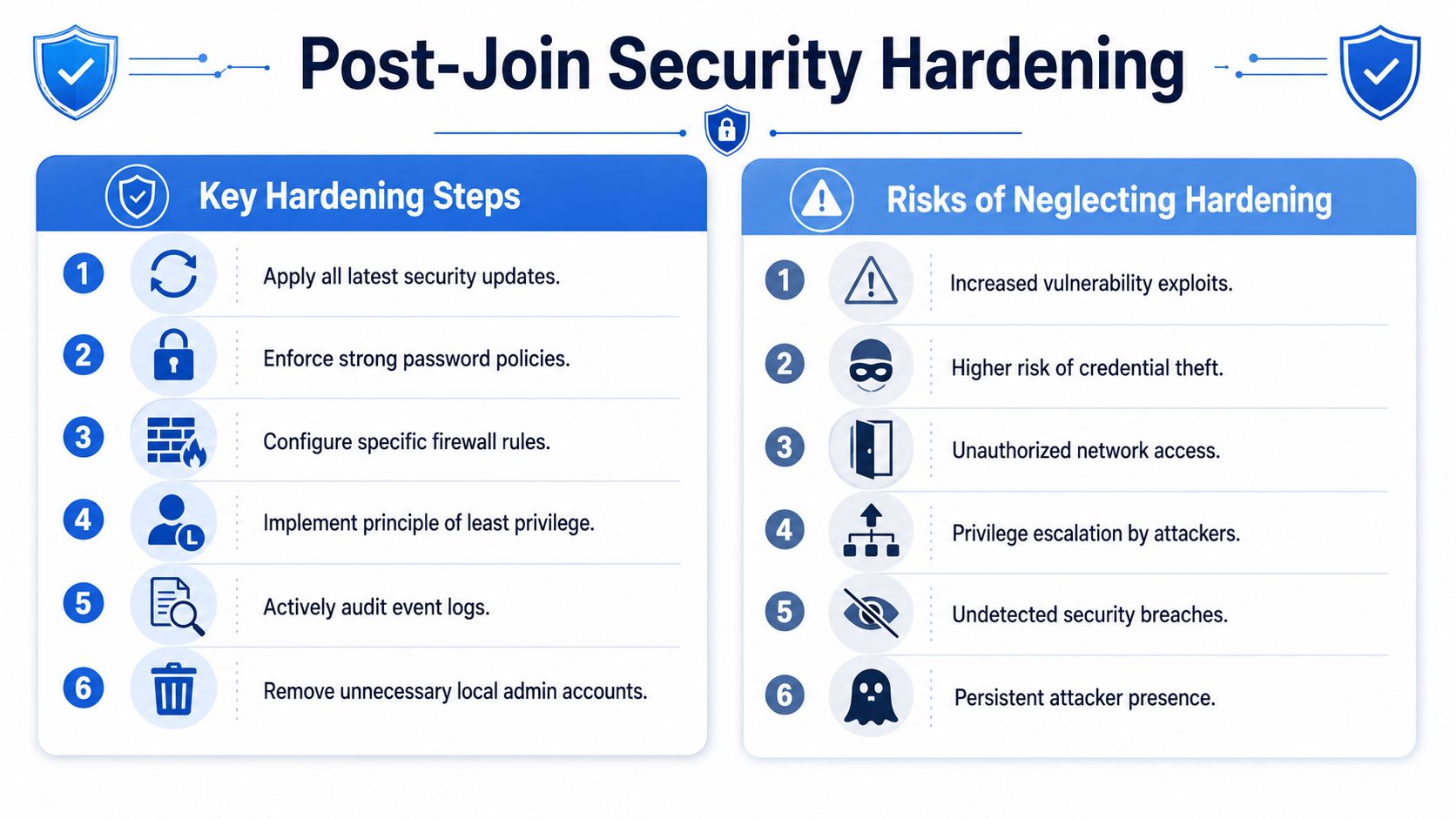
Run gpresult and verify the machine received the expected Group Policy objects. If the client expects password controls, firewall rules, security baselines, mapped drives, or application restrictions, confirm they are active on the endpoint.
Use a short validation checklist:
- Policy confirmation: Run
gpresultand review the applied computer policies. - Patch status: Make sure the endpoint pulls current updates under the client's management model.
- Local admin review: Remove unnecessary local admin access and align to least privilege.
- Logging and security tools: Confirm the endpoint is reporting to the client's security and monitoring stack.
Fix the machine account creation weakness
One of the most overlooked AD defaults is also one of the easiest to abuse.
By default, an authenticated domain user can add up to 10 computer objects to the domain through the ms-DS-MachineAccountQuota setting, as documented in this Active Directory security explanation. Hardened environments often reduce that value from 10 to 0 so ordinary users can't create domain-joined machines without delegated approval.
That setting gets attention in a manual pentest because it can expose weak AD governance. If your client is working toward HIPAA, PCI DSS, or ISO 27001, this is the kind of basic control that shouldn't be left in its default state.
A machine joined cleanly but governed poorly is still a problem machine.
Add controls attackers hate
Post-join hardening should also include LAPS or an equivalent approach for managing local administrator passwords. Shared local admin passwords make lateral movement easier. Unique, managed credentials make it harder.
You should also review local policy exposure. If your team needs a quick refresher on workstation-level controls, this guide to the Local Group Policy Editor is a useful operational reference.
Clients rarely buy “hardening” because they love the term. They buy lower risk, cleaner compliance evidence, and fewer ugly surprises during penetration testing.
Troubleshooting Common Domain Join Errors
Technicians lose time here. The error message looks dramatic, but the cause is usually simple.
Use the symptom to narrow the problem fast instead of randomly retrying the join with more privileged credentials.
Common errors and direct fixes
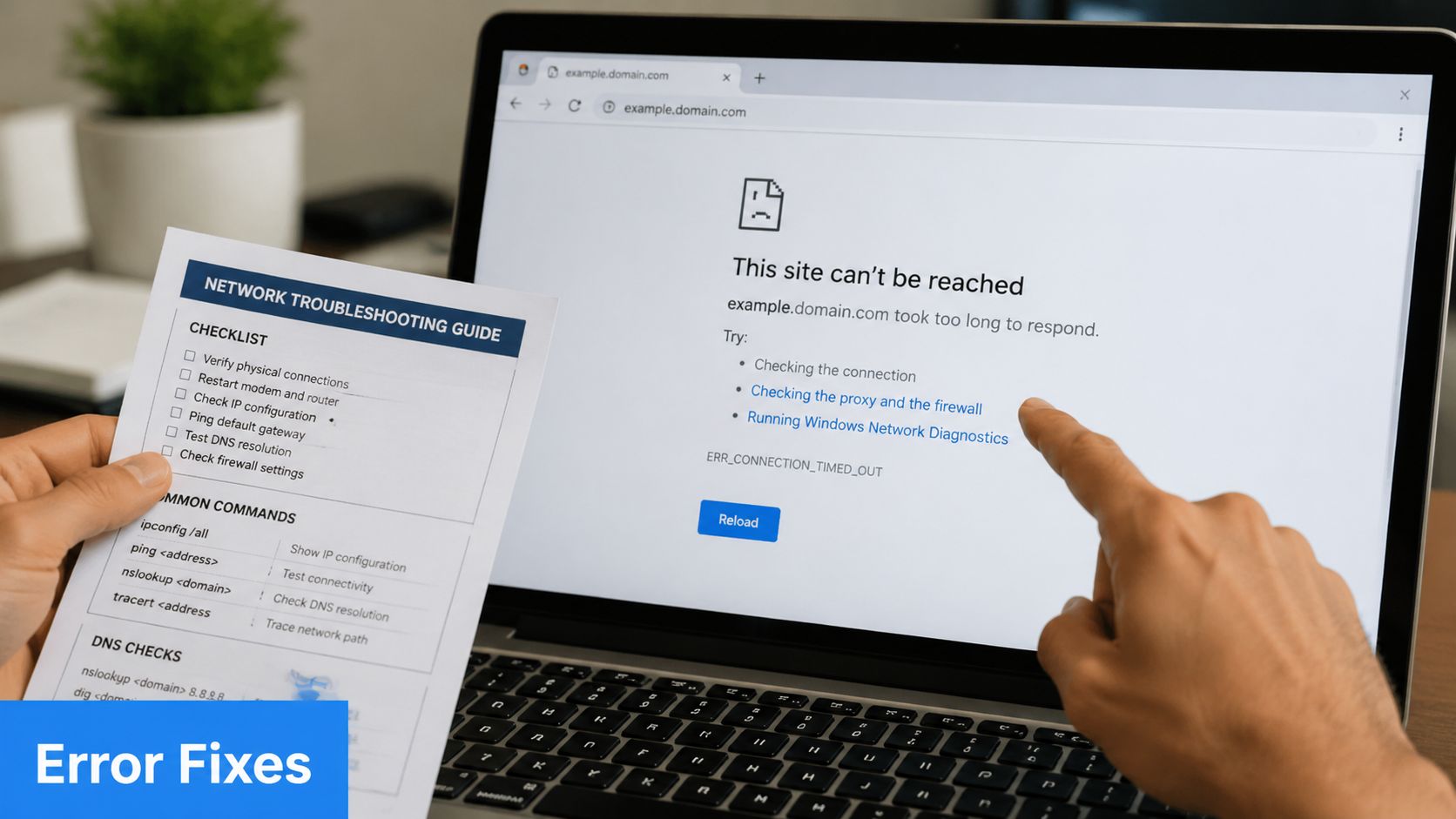
- Domain controller could not be contacted: Start with DNS and domain controller reachability. If name resolution or network pathing is wrong, the join won't happen.
- Access is denied: Check the credentials used for the join and verify the account has the delegated right to create the computer object in the intended OU.
- The account already exists: Look for an existing stale computer object with the same name. Decide whether to reset, remove, or re-use it based on your client's process.
- The device joined but policies aren't applying: Confirm the object is in the correct OU and verify Group Policy processing on the endpoint.
- The join option isn't available: Check the Windows edition first. Some devices arrive with Home edition and can't join AD.
What experienced MSPs do differently
They don't troubleshoot domain joins by guessing. They use an order of operations.
- Validate DNS
- Confirm edition support
- Test approved credentials
- Review OU and delegation
- Inspect existing computer objects
- Reboot and validate policy
Bad troubleshooting leads techs to use bigger credentials. Good troubleshooting fixes the actual problem.
That discipline saves technician time and keeps your process from drifting into unsafe exceptions.
Turn Your IT Tasks into Client Security Wins
Clients don't usually praise a domain join. They notice the result. Clean onboarding, stable access, strong policy enforcement, and fewer security gaps.
That's the opportunity for an MSP, vCISO, GRC firm, CPA advisory team, or reseller. Routine technical work becomes a visible security win when you tie it to compliance, risk assessment, and validation through pentesting, pen testing, and broader penetration testing. A secure endpoint onboarding process supports better evidence for SOC 2, HIPAA, PCI DSS, and ISO 27001 conversations.
It also opens the door to adjacent client services. When endpoints age out, secure disposal matters too. If you need a reference point for downstream lifecycle controls, Reworx Recycling for secure data destruction is a useful example of how certified disposal fits into the bigger security picture.
The MSPs that stand out don't just add machines to domains. They build secure processes clients can trust, document, and verify with a pentest, penetration test, or ongoing manual pentesting review.
If you want a channel-only partner to help validate client environments after onboarding, learn how white label pentesting works for MSPs, vCISOs, GRC firms, and resellers. Our team includes OSCP, CEH, and CREST certified pentesters, and we focus on affordable, manual pentesting with fast turnaround. We never compete with our partners. Contact us today to learn more.
.png)
.avif)
.png)
.png)
.png)

