
An MSP owner usually learns how to open Terminal only when a tool demands it, a script breaks, or a client asks for a penetration test and the team realizes they're still operating like a help desk. That's the wrong time to learn it.
The terminal is not a geek badge. It's the front door to serious security work. If you want to support SOC 2, HIPAA, PCI DSS, ISO 27001, and broader compliance work without turning away revenue, your team needs to be comfortable opening a shell fast and using it the right way.
Why Mastering the Terminal Matters for MSPs
Most articles about how to open terminal treat it like a basic desktop trick. Search, click, done. That advice is fine for students and developers. It's weak for an MSP, vCISO, GRC firm, CPA, or IT reseller trying to deliver a real risk assessment, a credible penetration test, or white label pentesting under their own brand.

The terminal matters because manual pentesting starts there. The command-line interface has been a foundational part of Unix-based systems since 1971, and Mac OS X inherited that Unix architecture in 2001, making Terminal a standard entry point for security work, as noted in this Unix terminal history overview. If your team can't open and use a terminal confidently, they can't move cleanly through internal networks, cloud assets, or mobile backends.
The business reason is simple
Your clients are getting pressure from auditors, insurers, and customers. They need penetration testing, not another dashboard screenshot. If you don't offer it, another provider will.
A terminal session is often the first step in:
- Internal network checks: Running commands, reviewing routes, and validating exposure.
- Cloud review tasks: Accessing Linux workloads and checking configurations directly.
- Application work: Interacting with tools used during a pen test or a broader penetration test.
- Report-ready validation: Confirming what an automated scanner guessed at.
Practical rule: If a technician avoids the terminal, they'll avoid the kind of work that creates higher-value security revenue.
What MSP owners should care about
You don't need every technician to become an elite operator. You do need your team to stop treating the terminal like a last resort.
Here's the practical shift:
| Old mindset | Better mindset |
|---|---|
| Terminal is for developers | Terminal is for security delivery |
| GUI is safer by default | Properly controlled CLI access is often clearer |
| Scanners are enough | Manual pentesting catches what scanners miss |
| Security is a referral out | Security can become a profitable service line |
That's why learning how to open terminal on Windows, Mac, and Linux matters. It's not about looking technical. It's about building the capability to support white label pentesting, strengthen compliance services, and keep clients from shopping elsewhere.
Opening Terminals on Windows for Pentesting
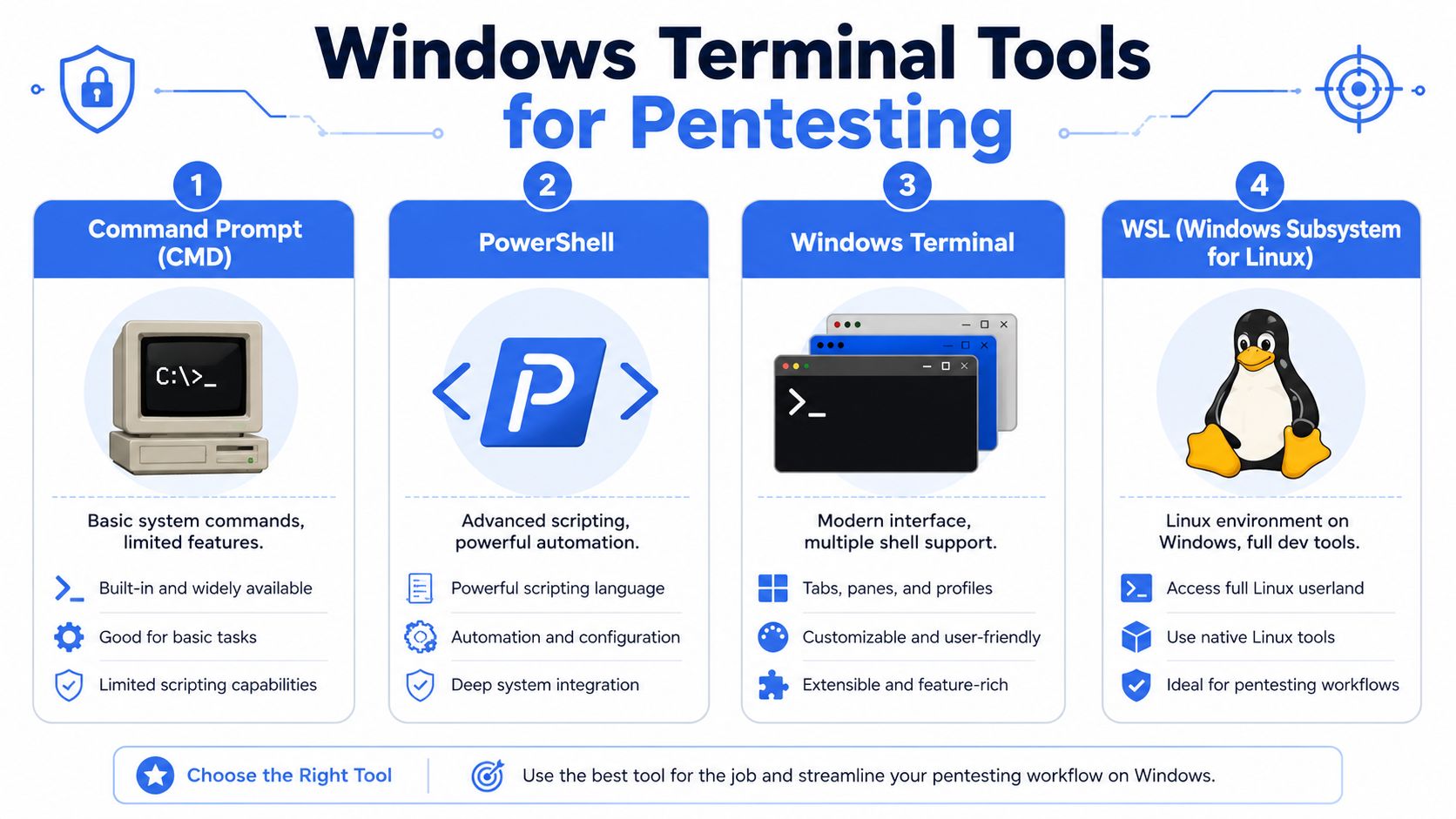
Windows shops often start with Command Prompt because it's familiar. That's fine for a few legacy tasks. For real pentesting, penetration testing, and repeatable security workflows, you want Windows Terminal, PowerShell, and often WSL.
Microsoft reported in 2024 that Windows Terminal had over 10 million monthly active users, which shows how central it has become for modern development and security workflows, according to this Windows Terminal usage reference.
The four Windows options that matter
| Tool | Best use |
|---|---|
| Command Prompt | Legacy commands and older scripts |
| PowerShell | Automation, administration, and structured scripting |
| Windows Terminal | Unified interface for multiple shells |
| WSL | Linux-based tools on a Windows system |
If your team still opens only CMD, they're limiting themselves.
Fastest way to open terminal on Windows
Use one of these methods:
- Press the Windows key.
- Type Windows Terminal.
- Press Enter.
Or:
- Right-click the Start button.
- Choose Terminal or Windows Terminal if available.
For older systems or legacy habits:
- Search for cmd to open Command Prompt.
- Search for PowerShell to open PowerShell.
Why Windows Terminal is the right default
Windows Terminal puts PowerShell, CMD, and WSL in one place. That matters for an MSP workflow because your team may need to move from a Windows admin task to a Linux-style toolset in the same engagement.
A smart setup looks like this:
- Use PowerShell by default for system work and automation.
- Keep CMD available for old commands and compatibility.
- Add WSL for Linux-native tooling and command behavior.
- Create clear profiles so junior staff know what environment they're in.
Don't build a security service line on top of the oldest shell on the box.
If your team needs a better scripting baseline, this PowerShell cheat sheet for practical command work is worth bookmarking.
When to use WSL
WSL matters when your team wants Linux behavior without switching machines. That's useful in penetration testing because many security workflows, scripts, and utilities were built for Unix-like environments first.
Open WSL like this:
- Open Windows Terminal
- Click the dropdown in the tab bar
- Select your installed Linux distribution
Or search for the distro directly from Start if it's already installed.
For an MSP owner, the takeaway is simple. Standardize on Windows Terminal. Stop teaching staff to treat CMD as the main tool. That one decision reduces friction when you start offering more serious pen testing and manual pentesting work.
Accessing Unix Terminals on macOS and Linux
The cleanest remote security workflows often happen on Unix-based systems. That's one reason many experienced operators prefer macOS and Linux when they're doing a penetration test, reviewing cloud assets, or validating findings manually.
The terminal on these platforms isn't an add-on. It's part of the operating model.
Opening Terminal on macOS
A common field scenario goes like this. You're on a client call, the web app team says the issue “only happens in staging,” and the cloud admin sends temporary access. You don't have time to click through layers of desktop menus.
On a Mac, the fastest move is:
- Press Cmd + Space
- Type Terminal
- Press Return
The same Unix terminal history reference noted earlier also explains why macOS inherited this model from Unix in 2001, which is why Terminal remains a standard entry point for security professionals using Apple hardware.
You can also open it through Applications, then Utilities, then Terminal. That works. It's slower.
Why Linux feels natural for security work
Now picture the next step. You pivot from your Mac into a Linux host, or you're already on a Linux laptop during a client engagement. In many Linux distributions, Ctrl + Alt + T opens a terminal immediately. That kind of direct access is one reason Linux remains a comfortable environment for technical security work.
Once open, your shell becomes the control panel for:
- Reviewing files and directories
- Running scripts
- Starting remote sessions
- Validating application behavior
- Checking system state during a risk assessment
A Unix terminal removes clutter. When you're testing, that's a feature, not a limitation.
If your team needs help getting comfortable with command syntax, this Linux man command guide is a useful starting point.
A practical story MSPs will recognize
An MSP engineer gets pulled into a late-stage client issue tied to a hosted application. The GUI on the target system is unstable. Browser-based tools keep timing out. The engineer opens Terminal on macOS, connects to the server, and works from the shell. Problem isolated. Exposure confirmed. Notes captured for the final penetration testing report.
That's the value of knowing how to open terminal on Mac and Linux. You're not learning a trick. You're removing delay when a client needs answers.
For vCISO teams, GRC consultants, and compliance-focused firms, that speed matters. SOC 2, HIPAA, and ISO 27001 conversations get more credible when your security partner can validate issues directly instead of narrating screenshots.
Remote Terminal Access Methods for Pentests
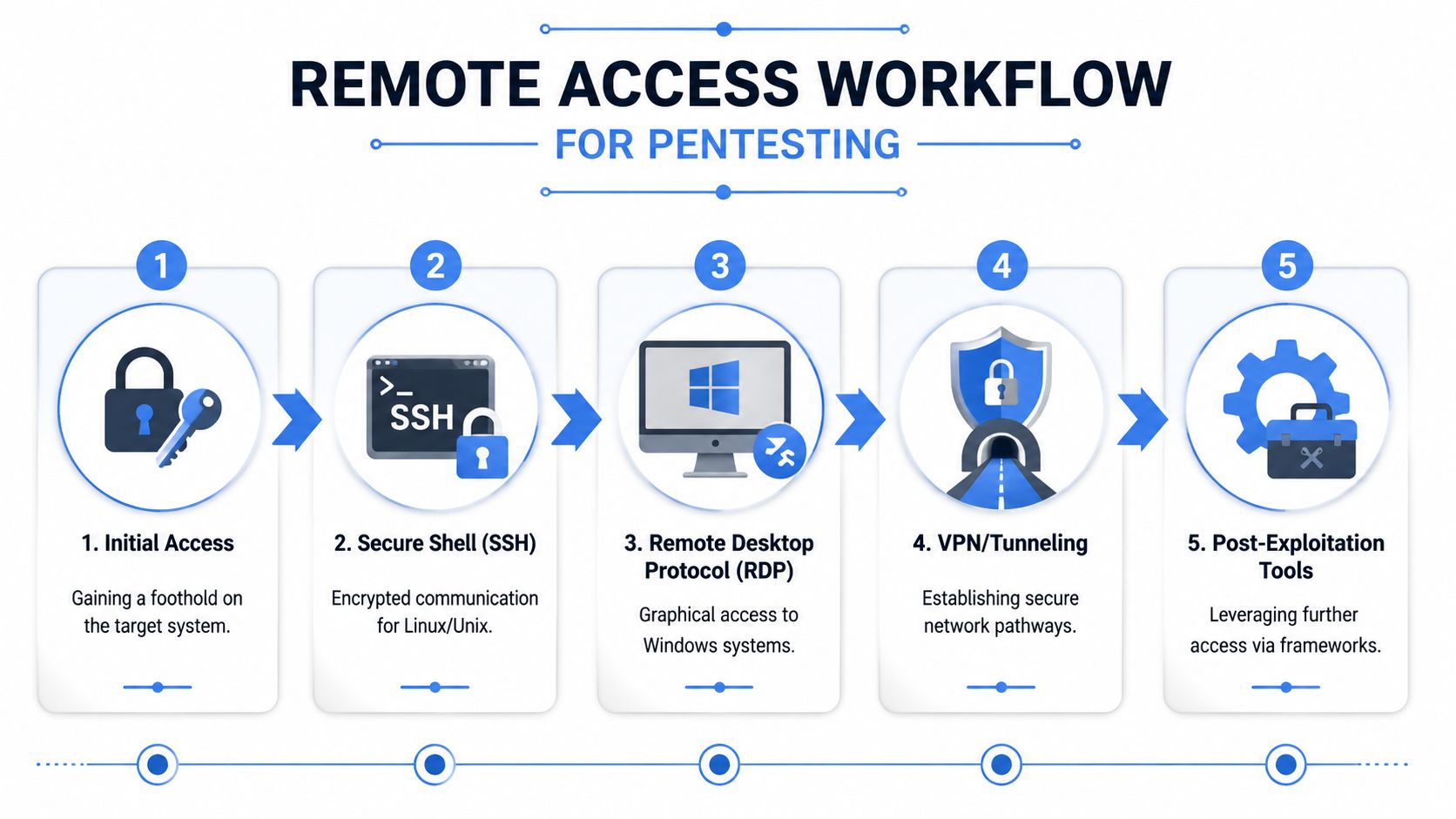
A real pentest rarely happens only on the local machine in front of you. You open a terminal so you can reach something else. A Linux server, a cloud instance, a network appliance, a serial console, or a segmented environment behind approved access controls.
That's why remote access discipline matters as much as knowing how to open terminal in the first place.
Extensive penetration testing for MSPs can include web applications, internal and external networks, cloud infrastructures, mobile applications for iOS and Android, physical security, and social engineering, according to this overview of pentesting coverage for MSPs. That range is exactly why terminal access methods need to be consistent and secure.
SSH should be your default for Unix systems
For Linux and many network devices, SSH is the standard way to get terminal access remotely. It gives you encrypted command-line access and a clean path for administration, validation, and manual testing.
From a business perspective, SSH is where mature delivery starts. It's controlled, auditable, and direct.
Common tools include:
- Terminal on macOS
- Linux terminal emulators
- Windows Terminal
- PuTTY on Windows when teams still prefer it
Remote access is a compliance issue too
A sloppy remote session can damage evidence, create confusion in reports, or trigger access concerns during an audit. That matters if you serve clients dealing with SOC 2, HIPAA, or PCI DSS obligations.
Here's the plain truth. Remote access is not just a technical step. It's part of the testing methodology.
If your team can access a system but can't explain who approved it, how it was secured, and what privileges were used, the work will create headaches for compliance.
For MSP owners trying to tighten process, this remote access security guide is a practical companion.
VPNs and tunnel decisions
Some client environments require a VPN or approved tunnel before any terminal session starts. The right product depends on use case, policy, and support expectations. If you're comparing options for secure remote connectivity, Simply Tech Today's VPN review gives a helpful non-vendor overview.
Other access methods still matter
Not every engagement is clean and modern. You may also run into:
- Serial console access: Useful for initial setup, recovery, or devices with limited management interfaces.
- RDP plus terminal use: Common in Windows-heavy environments where you still need shell access after login.
- Jump boxes: Often required in segmented client networks.
The point is simple. Knowing how to open terminal isn't enough. Your team needs to know how to reach the right system, with the right method, under the right controls. That's what separates casual tooling from professional pen testing.
Using Elevated Access and Secure Practices
Opening a terminal is easy. Opening it with the right privilege level is where teams get into trouble.
This is one of the biggest gaps in generic how-to content. It tells people how to launch a shell, but not how to avoid running the wrong command with too much power. For an MSP delivering security services, that's not a small mistake. It can distort a risk assessment, create audit issues, and put client systems at unnecessary risk.
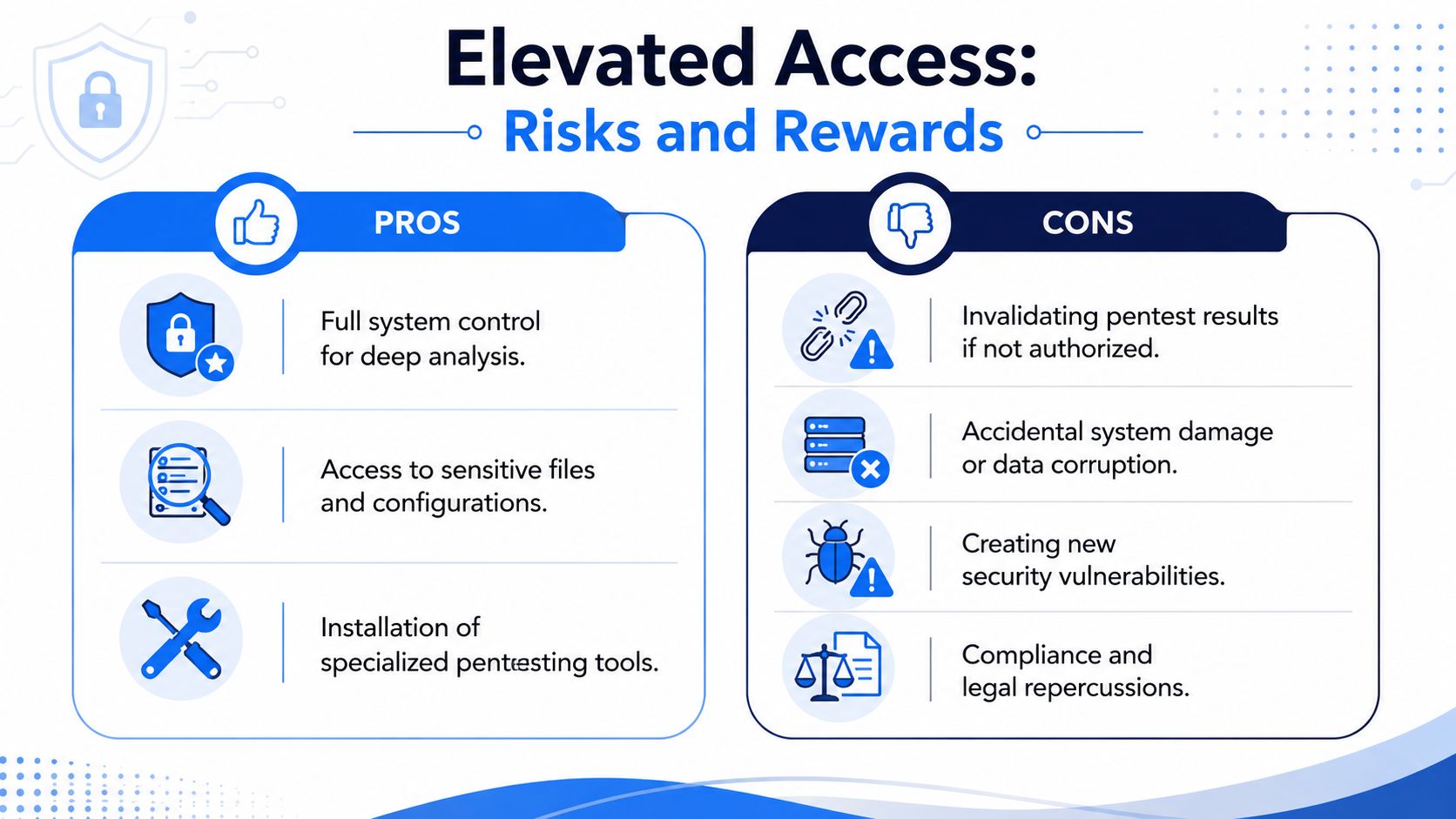
Unclear launch defaults are a common cause of junior technicians running commands with more privilege than the task needed, which shows up later as audit findings. Microsoft's Windows Terminal FAQ covers how the profile defaults work.
Use the lowest privilege that gets the job done
On Windows, that usually means deciding whether to open the shell normally or use Run as Administrator. On macOS and Linux, it means working as a standard user and using sudo only when the task requires it.
That approach is boring. Good. Boring is what you want in security operations.
Here's the smart standard:
- Start restricted: Open a normal shell first.
- Escalate intentionally: Use admin rights only for approved tasks.
- Separate profiles: Make it obvious which shell has privileged access.
- Document access choices: That supports cleaner compliance evidence.
Why this matters for service quality
A credible manual pentesting practice depends on control. If a technician launches every shell with admin rights, they're increasing risk and reducing trust. If they understand privilege boundaries, they're already acting more like a disciplined operator.
That matters when you're selling security support tied to SOC 2, HIPAA, PCI DSS, or ISO 27001. It also matters when a client asks whether your process is repeatable, safe, and professional.
Strong terminal habits aren't separate from white label pentesting delivery. They are part of the delivery.
For vCISO, GRC, and reseller partners, that's the bigger lesson. Terminal mastery is not just a technical skill. It's one of the first signs that a provider can deliver affordable, careful, and methodical penetration testing without creating new problems.
Partner with Us for Affordable Pentesting
Knowing how to open terminal is the start. Turning that into a profitable security service is the main opportunity.
Most firms don't need to build an in-house team from scratch to offer a solid pentest, pen test, or broader penetration testing program. That path is expensive, slow, and hard to staff well. It also creates pressure to hire rare talent before you've proven demand.
A better move is partnering with a channel-only team that doesn't compete with your client relationships. That matters for MSP, vCISO, GRC, CPA, and reseller firms that want to expand into white label pentesting without handing accounts to a competitor.
Manual penetration testing services delivered by certified professionals with OSCP, CEH, and CREST credentials can be completed and reported on a timeline scoped to the engagement, enabling rapid vulnerability identification and remediation for MSP clients, according to this manual pentesting turnaround overview.
That combination is what the market has been missing:
- Affordable delivery that protects your margins
- Manual pentesting instead of scanner-only theater
- Fast reporting that supports compliance timelines
- Coverage for the environments your clients run
- White label execution that fits your brand, not someone else's
If you serve clients with SOC 2, HIPAA, PCI DSS, or ISO 27001 pressure, this isn't optional anymore. They need a real penetration test partner. You need one that helps you grow without creating channel conflict.
If you want a channel-only partner for white label pentesting, fast manual reports, and certified support for your MSP, vCISO, GRC, or reseller business, talk to us about selling pentests under your own brand.

.avif)
.png)
.png)
.png)

