
Your client says they need a static IP. Usually what they mean is one of three things. They need stable remote access, they want to publish a service to the internet, or they need a clean target for a security review tied to SOC 2, HIPAA, PCI DSS, or ISO 27001 work.
If you're the MSP, vCISO, GRC advisor, or reseller in the middle, your job isn't to repeat Comcast sales language. Your job is to decide whether a Comcast static IP is the right fit, price it correctly, configure it without breaking inbound traffic, and make sure the client's security story holds up during a risk assessment, penetration test, or audit prep.
Is a Comcast Static IP Right for Your Client?
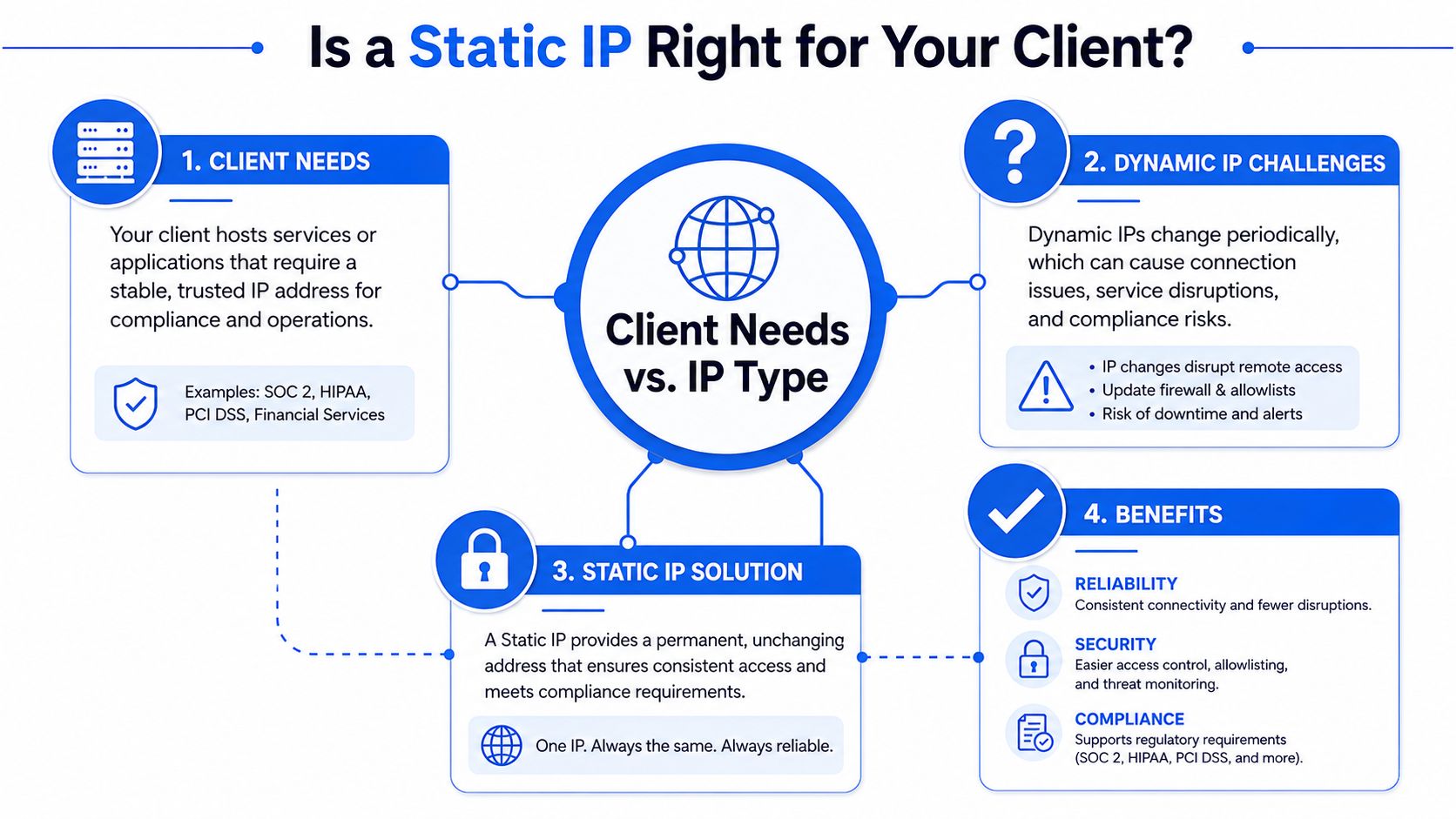
A lot of client requests start the same way. They have a line of business app, VPN, VoIP need, firewall project, or external service they want reachable all the time. Then someone realizes the public IP can move, and now every allowlist, vendor connection, and compliance note becomes harder than it should be.
Here's the first filter. Comcast keeps true static IP service for business accounts only. The official Xfinity forum states that residential customers can't get them and that the service is only for business customers, as noted in Comcast's Xfinity forum guidance on residential static IP limits.
Where a stable public IP matters
For compliance-minded clients, this isn't just a networking preference. A fixed public edge makes external dependencies easier to document, access rules easier to review, and validation work easier to repeat. That's useful when you're supporting SOC 2 narratives, HIPAA controls, or a broader risk assessment.
It also matters when you're preparing for an external pentest, pen test, or full penetration testing engagement. A stable target reduces confusion during scoping and retesting. The cleaner the network edge, the cleaner the test.
Practical rule: If the client needs repeatable inbound access from vendors, remote teams, or security testers, a true static IP is usually the right answer.
Good fit versus bad fit
Use this quick lens when a client asks for static IP Comcast service:
- Good fit: A business client hosting a VPN endpoint, secure portal, mail-related service, or external firewall policy that needs consistency.
- Also a good fit: A client preparing for a manual pentesting engagement where public exposure needs to stay stable during validation and remediation.
- Bad fit: A residential user trying to avoid occasional IP changes.
- Questionable fit: A tiny office with no inbound services and no real compliance requirement.
If the client only wants “something that usually stays the same,” Comcast's residential setup often behaves like a sticky dynamic address. But that's not the same as a business-grade static assignment, and you shouldn't build compliance promises on “usually.”
For MSPs doing advisory work, this is where architecture discipline matters. If the environment is growing, pair the connectivity decision with a network architecture review before you expose anything externally.
Navigating Comcast Business Static IP Plans and Pricing
Most billing surprises happen because nobody explains the add-ons clearly. Comcast treats static IPs like a premium business feature, not a default utility.
Comcast prices static IPs as a paid add-on, with a single address costing less than a block. Check Comcast Business current pricing page before you quote a client, since these rates change.
If your client hears “single static,” make sure they also understand the hardware and provisioning requirements before they approve the order.

What to budget for
The static IP fee isn't the whole story. Comcast requires the Business Gateway for this service. That's the lock-in point, and it's not optional if the client wants Comcast to provision and route the static assignment properly.
That matters for MSPs because it changes install planning:
- Hardware expectation: Your client can't assume a third-party DOCSIS modem will handle the service.
- Support model: Comcast controls the gateway layer, so your team owns the downstream firewall and validation work.
- Procurement impact: Resellers need to position this as a business connectivity package, not just “internet plus one setting.”
What to tell the client
Be blunt. Static IP Comcast service is reasonable when the client has a real business use case, but it's still a paid business add-on with a provider-managed gateway in the middle.
Paying for a static IP is usually the cheap part. The real cost is the time you lose if you order it without planning firewall ownership, remote access design, and compliance scope.
If the client is cost-sensitive, frame the choice around operational clarity. A stable edge can simplify support, vendor allowlisting, external access, and future penetration testing work. If they don't need any of that, don't upsell them into complexity.
Configuring the Gateway for a Third-Party Router
Much bad advice begins when many admins hear “use bridge mode” and assume that's the clean answer. On Comcast Business static IP setups, that advice often breaks the exact feature you paid for.
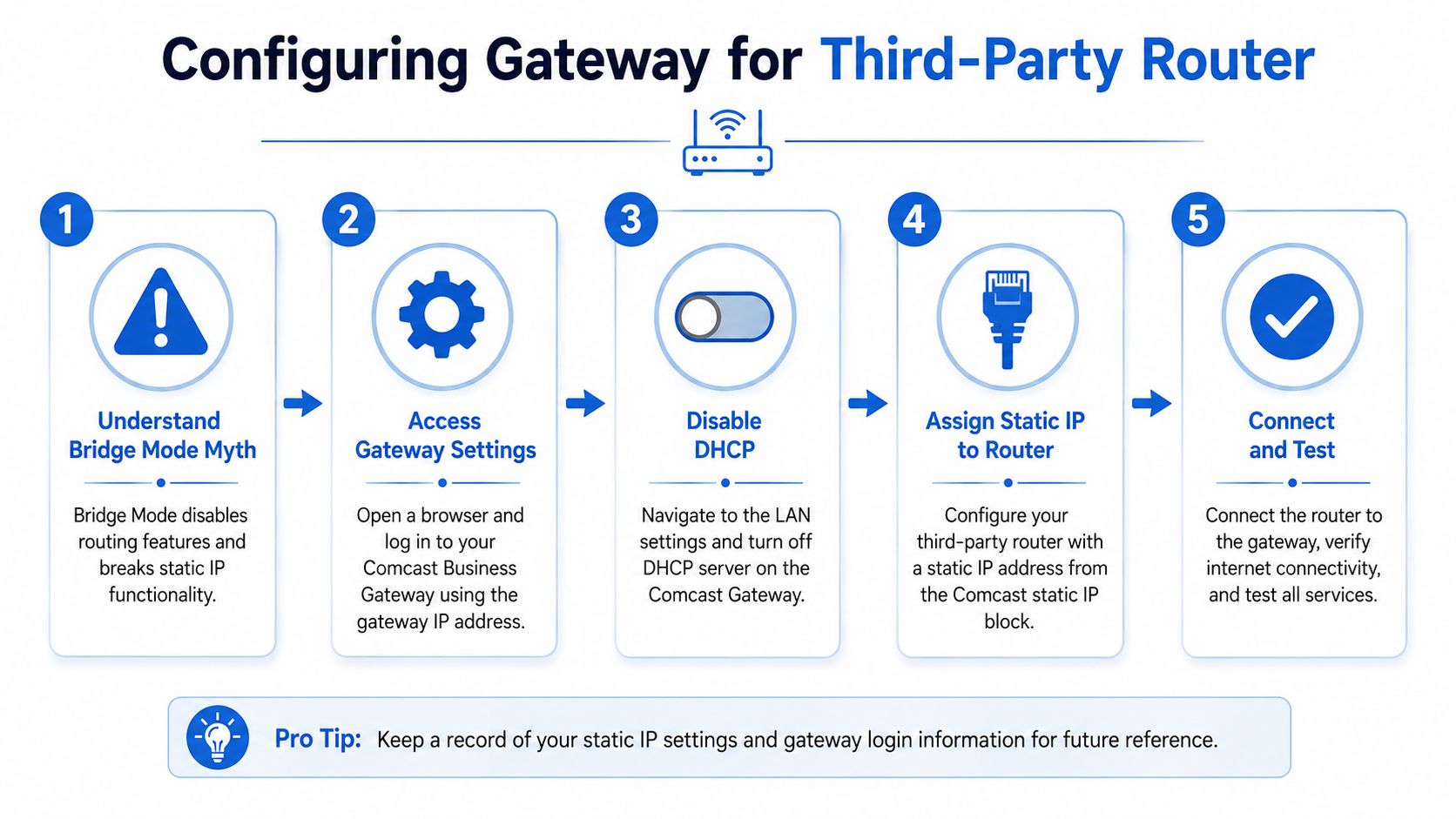
The better path is what many admins call pseudo-bridge or True Static IP mode. Community guidance notes that the critical step is to disable Comcast's firewall and LAN DHCP while avoiding bridge mode so a third-party router can accept the public static assignment without connection drops, as described in this pfSense group discussion of Comcast static IP setup.
Why bridge mode causes trouble
Bridge mode sounds clean because MSPs want their own firewall doing the primary work. That's a smart instinct on most circuits. On this one, full bridge can strip away the static IP handling that Comcast expects the gateway to maintain.
So don't think of the Comcast device as a normal all-or-nothing modem. Think of it as a provider-managed edge box that must stay active enough to preserve static IP behavior while staying out of the way of your real firewall.
The field-tested setup
Use a practical sequence instead of trial and error:
- Keep the Comcast Business Gateway in its routed role.
- Disable Wi-Fi on the gateway if the client won't use it.
- Disable LAN DHCP on the gateway so it doesn't hand private addressing to your downstream firewall.
- Disable the gateway firewall features tied to the static subnet.
- Push all security policy to the client's real firewall or router.
That gives you the closest thing to a clean pass-through without killing static functionality.
The Comcast box should be present, but quiet. Your firewall should be the policy engine.
Why this matters for security work
If you're scheduling an external pentest, a pen testing engagement, or a targeted penetration test against public services, this configuration matters more than people think. A bad gateway setup can make ports look filtered when they're just mishandled upstream. That creates false negatives and wastes everyone's time.
For clients under PCI DSS, SOC 2, or ISO 27001 pressure, sloppy edge configuration also creates documentation problems. You can't defend a network diagram or firewall review if the actual public path is ambiguous.
If you want a practical refresher on internet edge design before touching the Comcast box, review firewalls and DMZ design fundamentals. It helps anchor who should own exposure, filtering, and segmentation after the static IP is turned up.
Testing the Setup and Solving Common Problems
Once the service is live, don't stop at “internet works.” Browsing out means almost nothing here. You need to verify that the public static assignment is landing on the right downstream device and that inbound traffic isn't getting mangled.
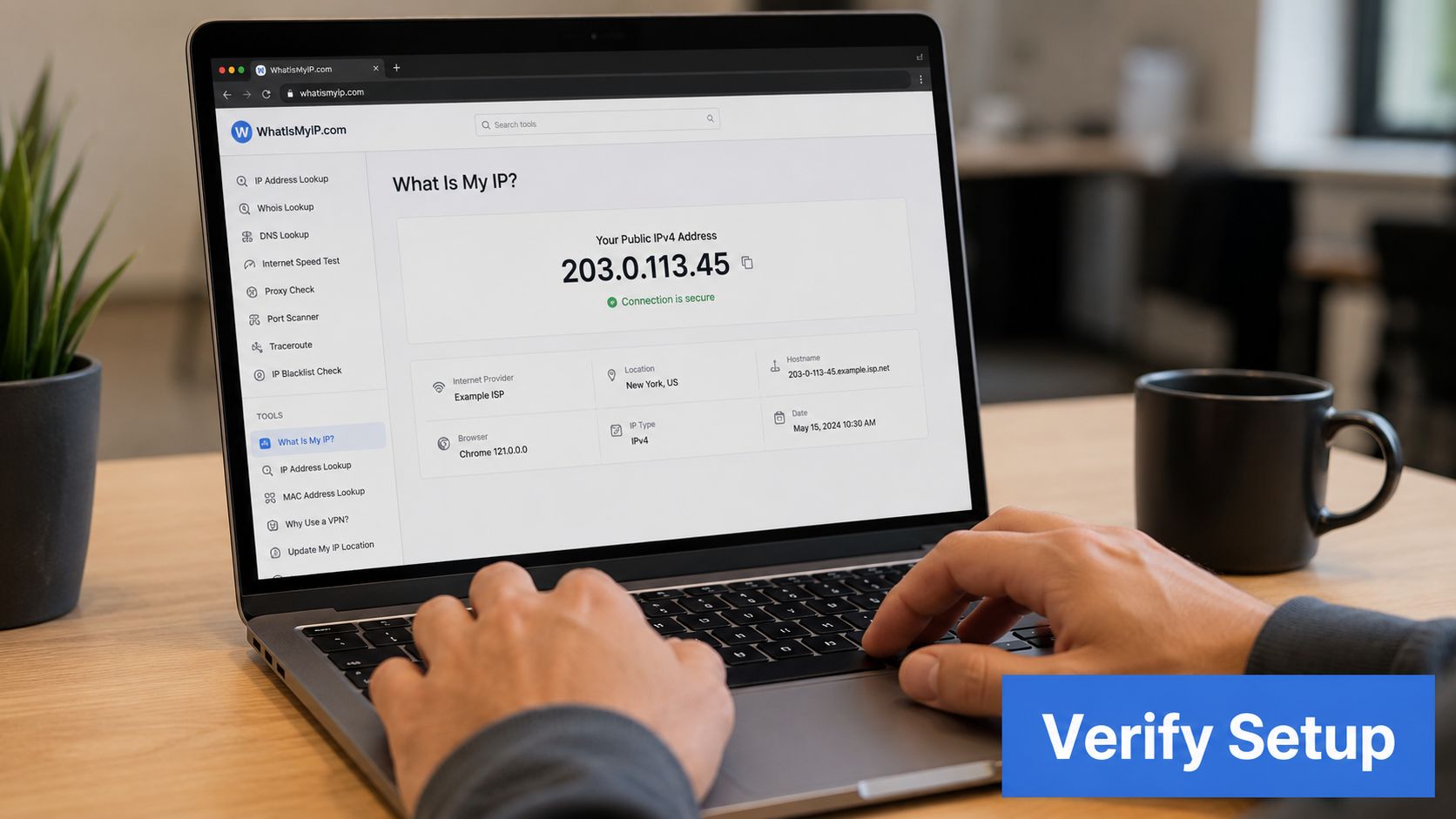
Start with a simple validation workflow. Confirm the expected public identity from the downstream firewall. Then test inbound reachability only for the services the client intentionally exposes. If you're preparing for a manual pentest or a compliance review, document each result while you verify it.
Common problems that break static IP Comcast setups
The biggest failure point is double NAT. Guidance for Comcast Business static IP provisioning calls for disabling the gateway's Firewall for True Static IP Subnet and turning off all 1-to-1 NAT rules, because leaving 1-to-1 NAT in place can cause double NAT and block inbound traffic, as outlined in this Comcast Business static IP configuration guide.
Use this troubleshooting checklist:
- Inbound traffic fails: Check whether 1-to-1 NAT is still enabled on the Comcast gateway.
- Firewall logs look wrong: Confirm the Comcast firewall features are disabled and the downstream firewall owns the policy.
- Downstream router gets private addressing: Review DHCP behavior on the gateway.
- Client reports intermittent weirdness after reboot: Re-check the Comcast-side settings before you blame the third-party firewall.
What to do before calling support
Power events and modem restarts can confuse the picture during troubleshooting. Before escalating, have the onsite contact or your remote hands follow a basic modem restart process so you can get back online fast and separate a transient issue from a real provisioning problem.
If the Comcast box is half-configured, support calls turn into finger-pointing. Validate NAT, firewall, and DHCP first.
For MSP, reseller, and GRC teams, this testing discipline protects the project. It keeps your notes clean, reduces noisy escalations, and makes later penetration testing far more trustworthy.
Considering Alternatives Like Dynamic DNS
Some clients don't want a business account upgrade. Others don't want a managed gateway in their rack. In those cases, Dynamic DNS is the usual fallback.
DDNS can work for low-stakes use cases. If the client only needs occasional remote access to a noncritical service, it may be good enough. It can also be a temporary bridge while you're waiting for a business cutover.
Where DDNS falls short
A vCISO shouldn't treat DDNS as equal to a real static IP when the service matters. The name may update, but the underlying public address can still change at inconvenient times. That creates uncertainty for vendor allowlists, documented access paths, and repeatable validation.
For compliance work, that uncertainty becomes a process problem. A control owner trying to support ISO 27001, SOC 2, or HIPAA doesn't want “the hostname should update soon” in the middle of an audit discussion.
When I'd recommend it
I'd only position DDNS as acceptable when all of these are true:
- Low business impact: The exposed service isn't critical.
- Loose timing: A short disruption won't hurt the client.
- No strict evidence burden: The client doesn't need stable edge documentation for auditors, customers, or outside testers.
If the client expects clean remote access, stable scanning scope, or dependable allowlisting, skip the workaround. Buy the right service and build the edge correctly.
Secure Your Network with White Label Pentesting
A static IP solves reachability. It doesn't solve exposure. The minute a client publishes a VPN, web app, appliance portal, or remote access path, they need someone to test what attackers can touch.
That's where many firms get stuck. The market is full of overpriced scanner-heavy work, long lead times, and reports that don't help the MSP, vCISO, or GRC partner explain business risk. Good pentesting, pen test, and penetration testing should be manual, scoped clearly, and fast enough to fit real project timelines.
Why channel partners should care
Pricing depends on scope. Request a quote for exact figures. That matters if you're trying to keep security services affordable without sending clients to outside firms that may compete with you.
Manual testing matters too. A human tester can validate business logic, chaining issues, and real exposure in ways a basic scanner won't. For clients dealing with PCI DSS, SOC 2, HIPAA, and ISO 27001, that usually leads to findings they can act on.
What strong partner delivery looks like
The best white label pentesting model is channel-only. No poaching. No account conflict. No awkward handoff where your client starts building trust with another security brand.
You also want qualified people doing the work. Certifications like OSCP, CEH, and CREST matter because they signal tested hands, not just software output. If you want a deeper look at how partner delivery works, review our guide for MSPs reselling pentests.
If you need a channel-only team for white label pentesting, manual pentest delivery, and fast turnaround without competing for your accounts, we deliver testing you can resell as your own. Our certified testers support MSPs, vCISOs, GRC firms, CPAs, and IT resellers with affordable penetration testing that helps clients move faster on compliance and security. Contact us today to learn more.

.avif)
.png)
.png)
.png)

